🎬 Generate UGC promo videos with OpenAI, Sora 2 and Blotato for eCommerce
⚡ 4,215 views · 🎬 Content Creation & Video
💡 Pro Tip — Since TikTok doesn’t have a public API, getting data usually means fragile HTTP scraping. ScraperNode is a community node that gives you clean JSON for TikTok profiles, videos, and comments — drop it into your workflow and skip the parsing.

Description
💥 Generate UGC Promo Videos with Blotato and Sora 2 for eCommerce
🧩 Who is this for?
This workflow is perfect for eCommerce brands, content creators, and marketing teams who want to automatically generate short, eye-catching videos from their product images — without editing software or manual work.
🚀 What problem does this workflow solve?
Creating engaging promotional videos manually can be time-consuming and expensive.
This automation eliminates that friction by combining Blotato, Sora 2, and AI scripting to turn static product images into dynamic UGC-style videos ready for TikTok, Instagram Reels, and YouTube Shorts.
⚙️ What this workflow does
This workflow:
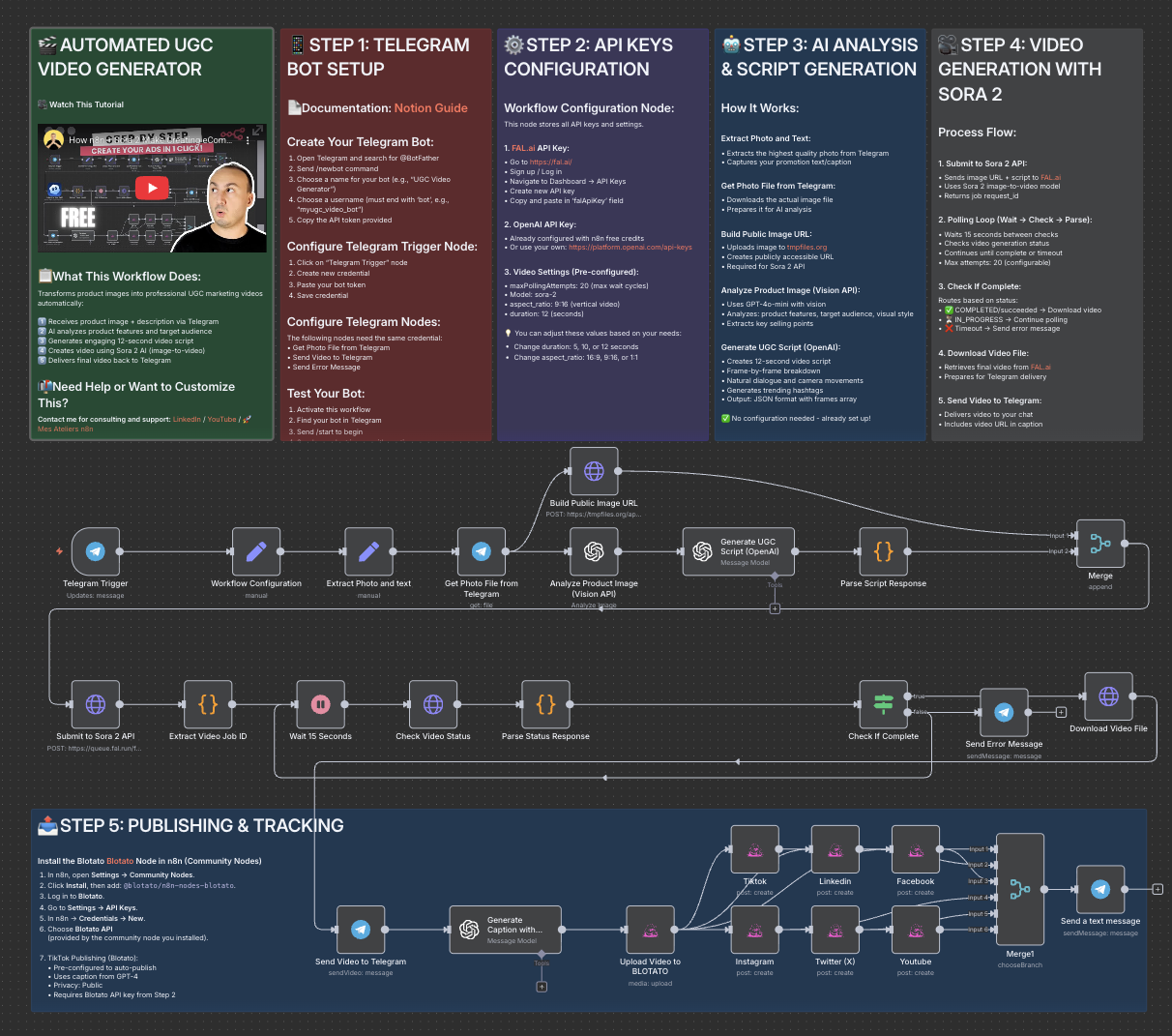
- Receives a product image directly from Telegram or another input source.
- Analyzes the image with OpenAI Vision to understand the product’s features and audience.
- Generates a natural, short UGC-style script using GPT-based AI.
- Sends the image and script to Sora 2 via the Fal API to generate a vertical promotional video.
- Monitors the video status every 15 seconds until completion.
- Downloads or automatically publishes the final video to your social platforms.
🧠 Setup
- Create a Fal.ai API key and set it in your n8n credentials (
Authorization: Key YOUR_FAL_KEY). - Connect your Telegram, OpenAI, and HTTP Request nodes as shown in the workflow.
- Make sure the
Build Public Image URLnode outputs a valid, public image link. - In the HTTP Request node for Sora 2, set:
- Method: POST
- URL:
https://fal.run/fal-ai/sora-2/image-to-video - Headers:
Authorization: Key YOUR_FAL_KEYContent-Type: application/json
- Body: Raw JSON with parameters like
prompt,image_url,duration, andaspect_ratio.
- Run the workflow and monitor the execution logs for your video URL.
- Blotato → API key for social media publishing
🎨 How to customize this workflow to your needs
- 🧾 Change the video tone: Edit the OpenAI prompt to produce educational, emotional, or luxury-style scripts.
- 🎬 Adjust duration or format: Use Sora 2’s supported durations (4, 8, or 12 seconds) and aspect ratios (e.g.,
9:16for social media). - 📲 Auto-publish your videos: Connect the TikTok, Instagram, or YouTube upload nodes for full automation.
- ✨ Add branding: Include overlays, logos, or end screens via CapCut or an external API integration.
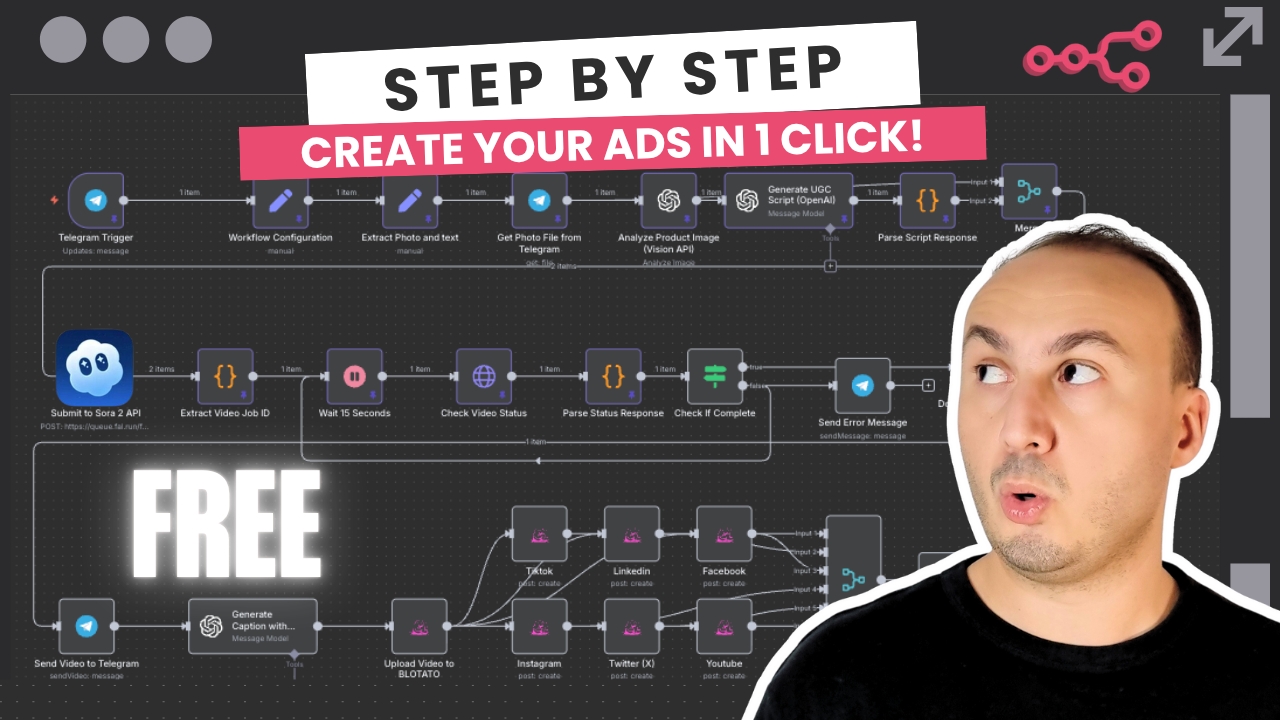
🎥 Watch This Tutorial
👋 Need help or want to customize this?
📩 Contact: LinkedIn
📺 YouTube: @DRFIRASS
🚀 Workshops: Mes Ateliers n8n
📄 Documentation: Notion Guide
Need help customizing?
Contact me for consulting and support : Linkedin / Youtube / 🚀 Mes Ateliers n8n
🔗 Nodes Used
HTTP Request, Telegram, Telegram Trigger, OpenAI
📥 Import
Download workflow.json and import into n8n:
Workflow menu → Import from File