🎬 📸 Automate photo background removal with Photoroom API and Google Drive
⚡ 1,226 views · 🎬 Content Creation & Video
Description
Tags: Marketing, Image Processing, Automation
Context
Hey! I’m Samir , a Data Scientist from Paris and the founder of LogiGreen Consulting.
We use AI, automation, and data to support sustainable business practices for small, medium and large companies.
I implemented this workflow to support an event agency to automate image processing like background removal using Photoroom API.

> Automate your photos processing with n8n!
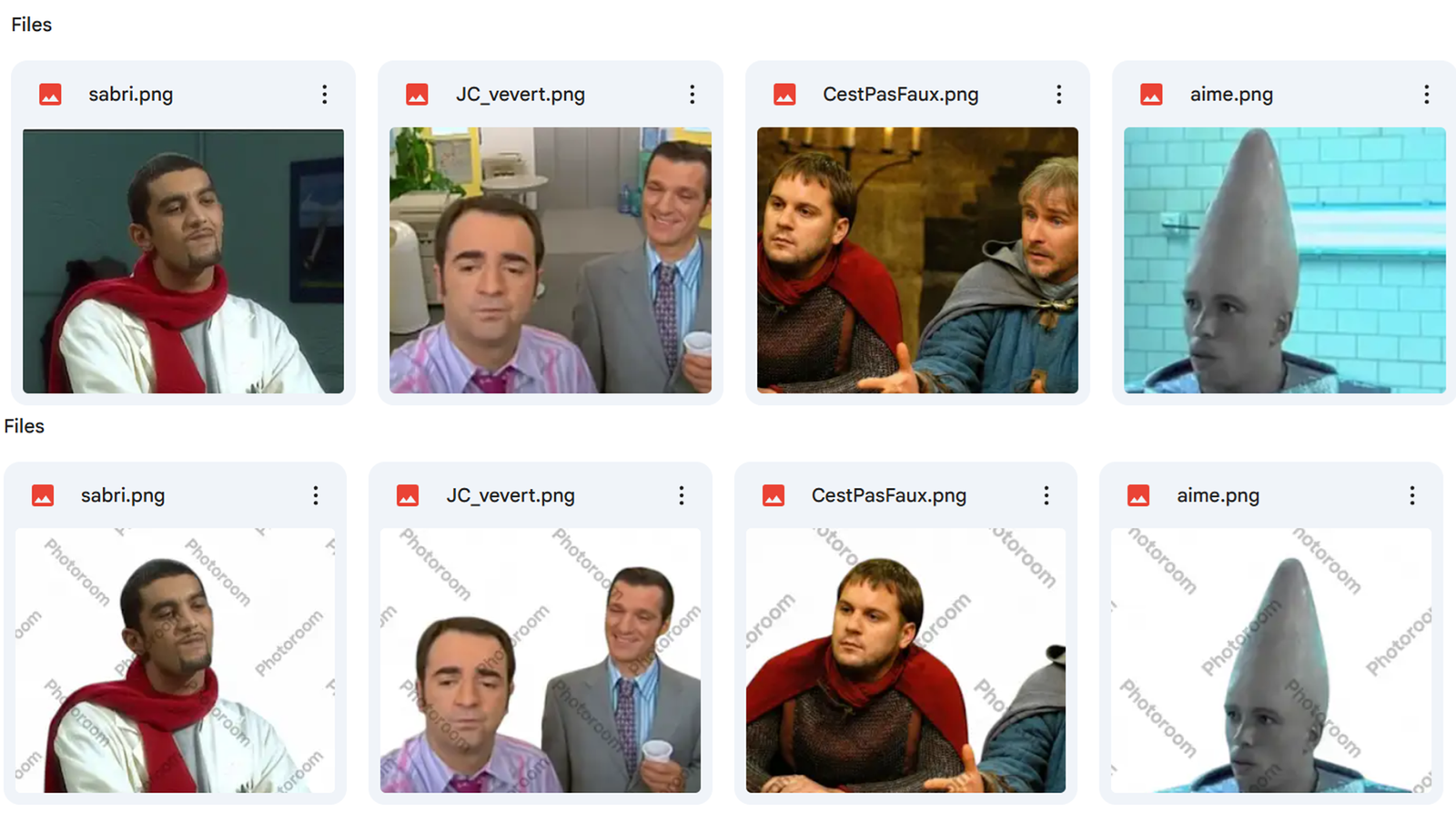
This n8n workflow collects all images in a Google Drive folder shared with multiple photographers.
For each image, it calls the Photoroom API:
- A processed image w/o a background is saved in a subfolder Remove Background
- The original pictures are saved in the subfolder Original
This workflow, triggered every morning, will process the backlog of images.
📬 For business inquiries, feel free to connect with me on LinkedIn
Who is this template for?
This workflow is useful for:
- Digital Marketing teams that use images for content creation
- Photographs or Event Organisers that collect large amounts of photos that need processing
What does it do?
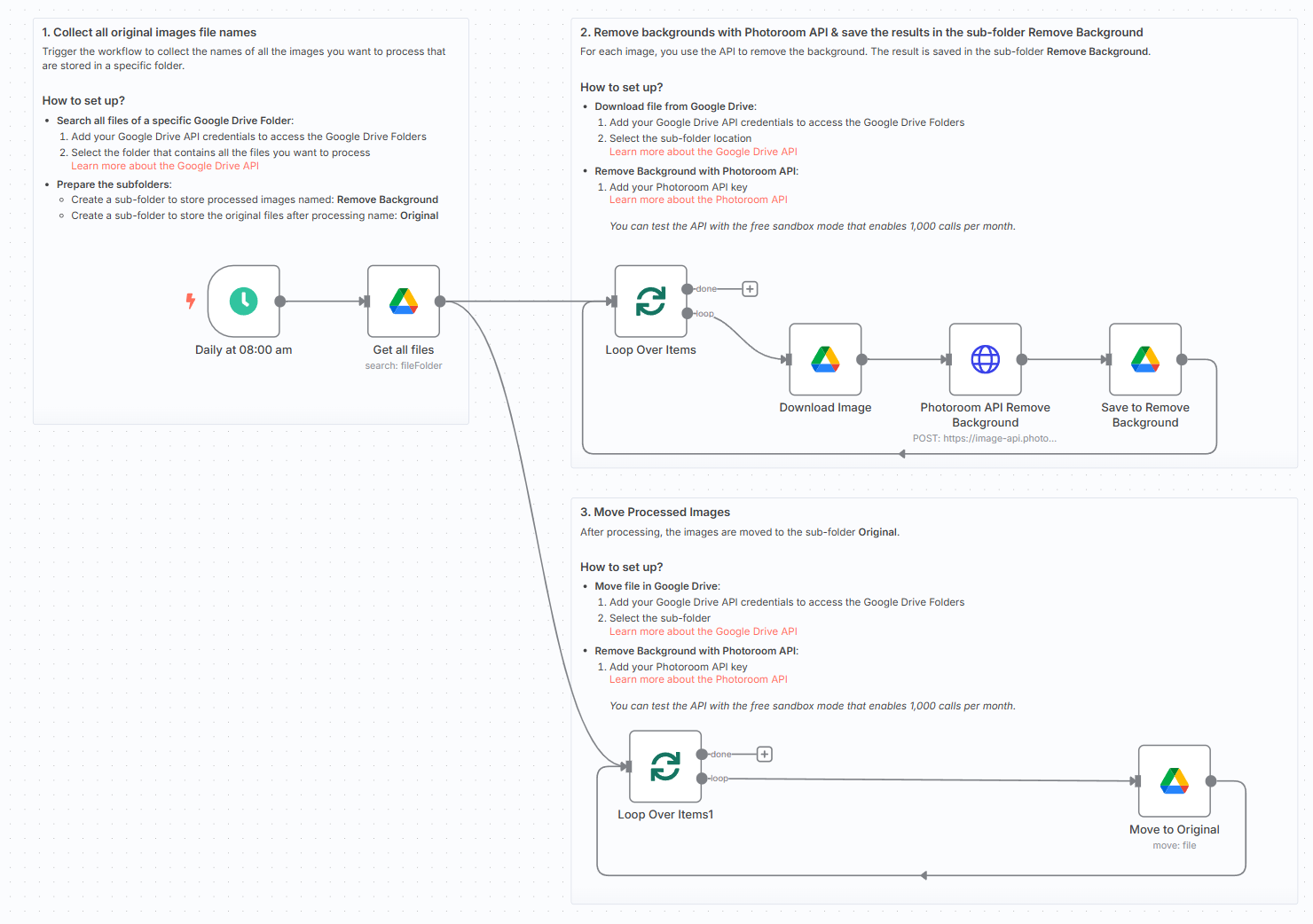
This n8n workflow:
- ⏰ Triggers automatically every morning
- 🖼️ Collects the names and IDs of all images in the folder
- 🧹 HTTP POST request to Photoroom API to remove the background
- 📄 Stores the processed image and the original image in two separate sub-folders
What do I need to get started?
You’ll need:
- A Google Drive Account connected to your n8n instance with credentials
- A Photoroom API key that you can get for free (trial) here: Photoroom API
Follow the Guide!
Follow the sticky notes inside the workflow or check out my step-by-step tutorial on how to configure and deploy it.

This workflow was built using n8n version 1.93.0
Submitted: May 26, 2025
🔗 Nodes Used
HTTP Request, Google Drive, Schedule Trigger
📥 Import
Download workflow.json and import into n8n:
Workflow menu → Import from File