🎬 Automate VIRAL Youtube titles & thumbnails creation (FLUX.1 + Apify)
⚡ 2,424 views · 🎬 Content Creation & Video
💡 Pro Tip — YouTube’s API quotas can be a bottleneck when you’re pulling data at scale. ScraperNode is a community node with dedicated scrapers for channels, videos, and comments — no quota limits, just structured data.

Description
For Who?
- Content Creators
- Youtube Automation
- Marketing Team
How it works?
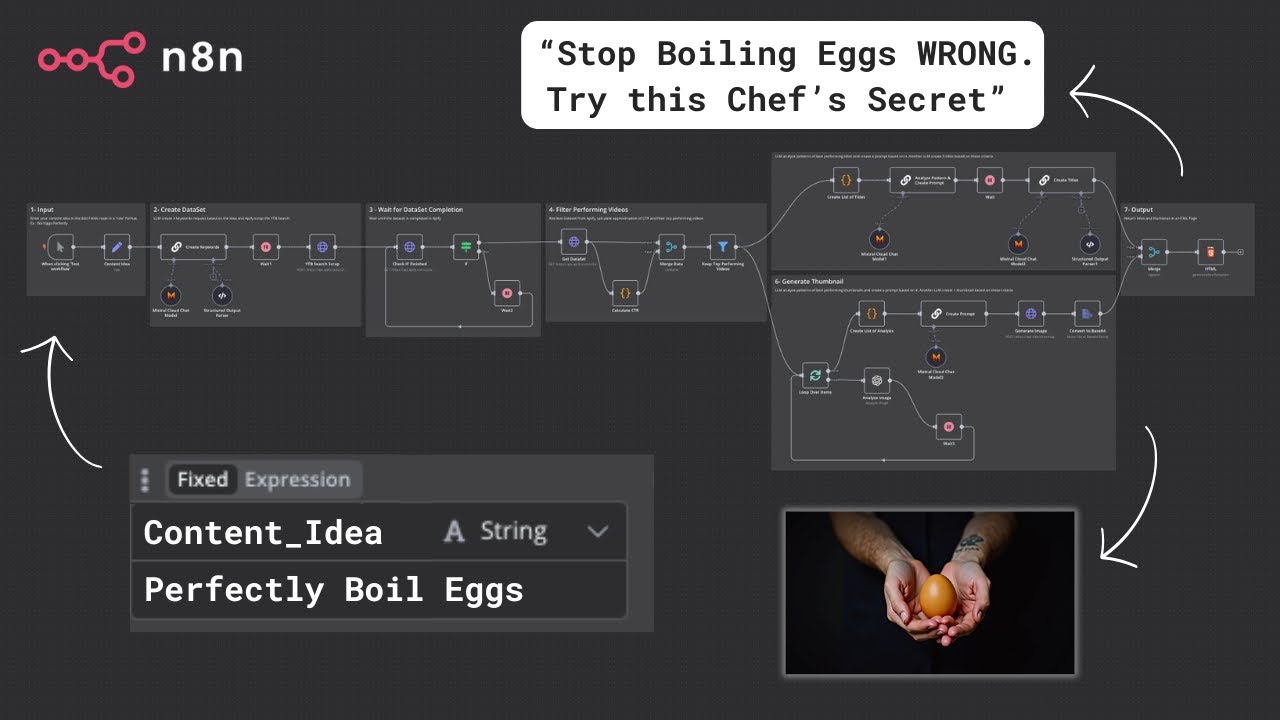
1 - Enter your content idea in the Edit Fields node in a “raw” format. Ex : Boil Eggs Perfectly 2 - LLM create 3 keywords request based on the idea and Apify scrape the YTB Search 3 - Wait until the dataset is completed in Apify 4 - Retrieve Dataset from Apify, calculate approximation of CTR and filter top performing videos 5 - LLM analyze patterns of best performing titles and create a prompt based on it. Another LLM create 5 titles based on these criteria 6 - LLM analyze patterns of best performing thumbnails and create a prompt based on it. Another LLM create 1 thumbnail based on these criteria 7 - Return titles and thumbnail in a HTML Page
📺 YouTube Video Tutorial:
SETUP
Setup Input Content Idea : Enter Keyword Related to the niche you want. Trigger can be replaced with anything as long as you retrieve a content idea. For example : Form submission, Database entry, etc …
If you want to change the number of keywords, update the data accordingly in the “Create Keywords” LLM Chain node ➡️ Structured Output Parser AND in the “YTB Search Scrape” HTTP Request Node in Body ➡️ JSON ➡️ searchQueries. If you want to change the number of scraped videos for each keyword, update the data accordingly in the “Create Videos Dataset” HTTP Request Node in Body ➡️ JSON ➡️ maxResults. If you want to adjust the CTR Calculation feel free to update it in the Code Node ➡️ Follow the Comments (after ”//”) to find what you’re looking for. If you want to adjust the level of virality of the videos kept for analaysis go to Filter Node ➡️ Value.
Setup Output HTML Page : You can also replace this part with any type of storage. For example : Airtable Database, Google Drive/Google Sheet, Send to an email, etc …
APIs : For the following third-party integrations, replace ==[YOUR_API_TOKEN]== with your API Token or connect your account via Client ID / Secret to your n8n instance :
- Apify : https://docs.apify.com/api/v2/getting-started
- OpenAI : https://platform.openai.com/docs/overview (base URL : https://api.openai.com/v1) OR OpenRouter : https://openrouter.ai/docs/quickstart (base URL : https://openrouter.ai/api/v1)
- HuggingFace (FLUX.1) : https://huggingface.co/docs
👨💻 More Workflows : https://n8n.io/creators/nasser/
🔗 Nodes Used
HTTP Request, Filter, Basic LLM Chain, Structured Output Parser, Extract from File, Mistral Cloud Chat Model
📥 Import
Download workflow.json and import into n8n:
Workflow menu → Import from File