🎬 Create AI-generated books with GPT-4.1-mini, DALL-E, Google Drive and AWS S3
⚡ 2,808 views · 🎬 Content Creation & Video
Description
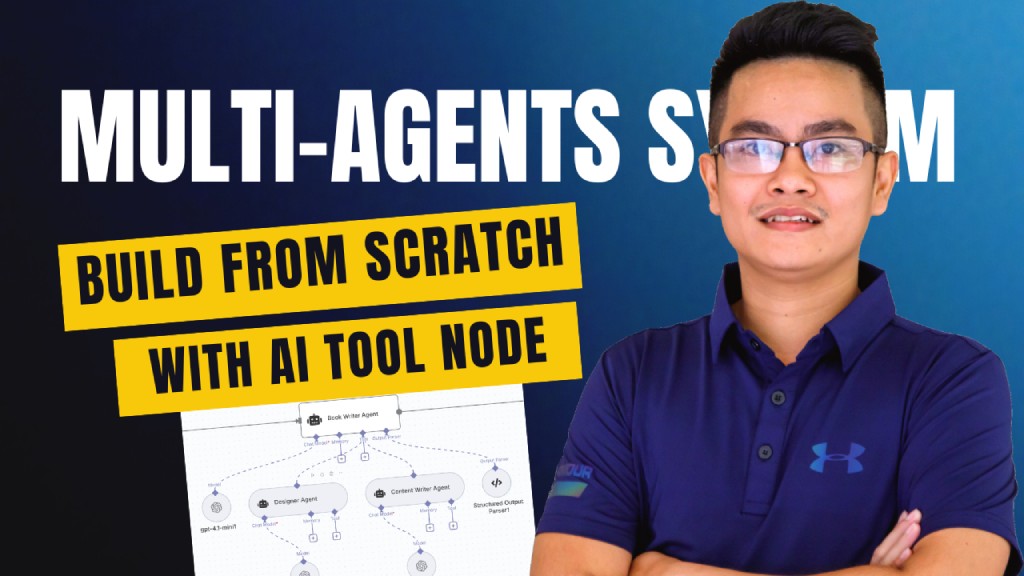
Multi-Agent Book Creation Workflow with AI Tool Node and GPT-4, DALL-E
Who’s it for
This workflow is designed for:
- Content creators who want to generate books or structured documents automatically.
- Educators and trainers who need quick course materials, eBooks, or study guides.
- Automation enthusiasts exploring multi-agent systems using the newly released AI Tool Node in n8n.
- Developers looking for a reference template to understand orchestration of multiple AI agents with structured output.
How it works / What it does
This template demonstrates a multi-agent orchestration system powered by AI Tool Nodes:
- Trigger: Workflow starts when a chat message is received.
- Book Brief Agent: Generates the initial book concept (title, subtitle, and outline).
- Book Writer Agent: Expands the outline into full content by collaborating with two sub-agents:
- Designer Agent → Provides layout/design suggestions.
- Content Writer Agent → Drafts and refines chapters.
- Generate Cover Image: AI generates a custom book cover image.
- Upload to AWS S3: Stores the cover image securely.
- Configure Metadata: Adds metadata for title, author, and description.
- Build Book HTML: Converts markdown-based content into HTML format.
- Upload to Google Drive: Saves the HTML content for processing.
- Convert to PDF: Transforms the book into a professional PDF.
- Archive to Google Drive: Final version is archived for safe storage.
This workflow showcases multi-agent coordination, structured parsing, and seamless integration with cloud storage services.
How to set up
- Import the workflow into n8n.
- Configure the following connections:
- OpenAI (for Book Brief, Book Writer, Designer, and Content Writer Agents).
- AWS S3 (for image storage).
- Google Drive (for document storage & archiving).
- Add your API keys and credentials in n8n credentials manager.
- Test the workflow by sending a sample chat message (e.g., “Write a book about AI in education”).
- Verify outputs in Google Drive (HTML + PDF) and AWS S3 (cover image).
Requirements
- n8n (latest version with AI Tool Node support).
- OpenAI API key (to power multi-agent models).
- AWS account (with S3 bucket for storing images).
- Google Drive integration (for document storage and archiving).
- Basic familiarity with workflow setup in n8n.
How to customize the workflow
- Switch Models: Replace
gpt-4.1-miniwith other models (faster, cheaper, or more powerful). - Add More Agents: Introduce agents for editing, fact-checking, or translation.
- Change Output Format: Export to EPUB, DOCX, or Markdown instead of PDF.
- Branding Options: Modify the cover generation prompt to include company logos or specific style.
- Extend Storage: Add Dropbox, OneDrive, or Notion integration for additional archiving.
- Trigger Alternatives: Replace chat trigger with form submission, webhook, or schedule-based runs.
✅ This workflow acts as a free, plug-and-play template to showcase how multi-agents + AI Tool Node can work together to automate complex content creation pipelines.
🔗 Nodes Used
HTTP Request, Google Drive, AWS S3, Markdown, AI Agent, OpenAI Chat Model
📥 Import
Download workflow.json and import into n8n:
Workflow menu → Import from File