📈 📈 Hourly monitoring of crypto rates with Alpha Vantage API and Google Sheets
⚡ 556 views · 📈 Crypto Trading & Stock Market
Description
Tags: Crypto, Currency Exchange, Alpha Vantage API, Google Sheets
Context
Hi! I’m Samir Saci, a Supply Chain Engineer and Data Scientist based in Paris, and founder of LogiGreen Consulting.
I help companies automate data pipelines using APIs, AI agents, and workflow automation to improve operational visibility and decision-making.
This workflow is part of our financial monitoring toolkit, allowing businesses to track real-time cryptocurrency exchange rates for assets like BTC and ETH.
> Monitor crypto rates in real time and log the data to Google Sheets.
📬 For business inquiries, feel free to connect with me on LinkedIn
Who is this template for?
This workflow is designed for crypto analysts, finance teams, or automation enthusiasts who want to collect and track crypto exchange rates automatically for reporting or analysis.
Let’s imagine you want to monitor BTC and ETH prices against the EUR:
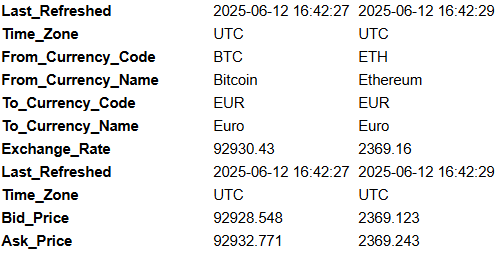
The Alpha Vantage API is called every hour to collect the exchange rate, bid/ask prices, and timestamp.
This data is saved in Google Sheets and can trigger a Telegram alert.
How does it work?
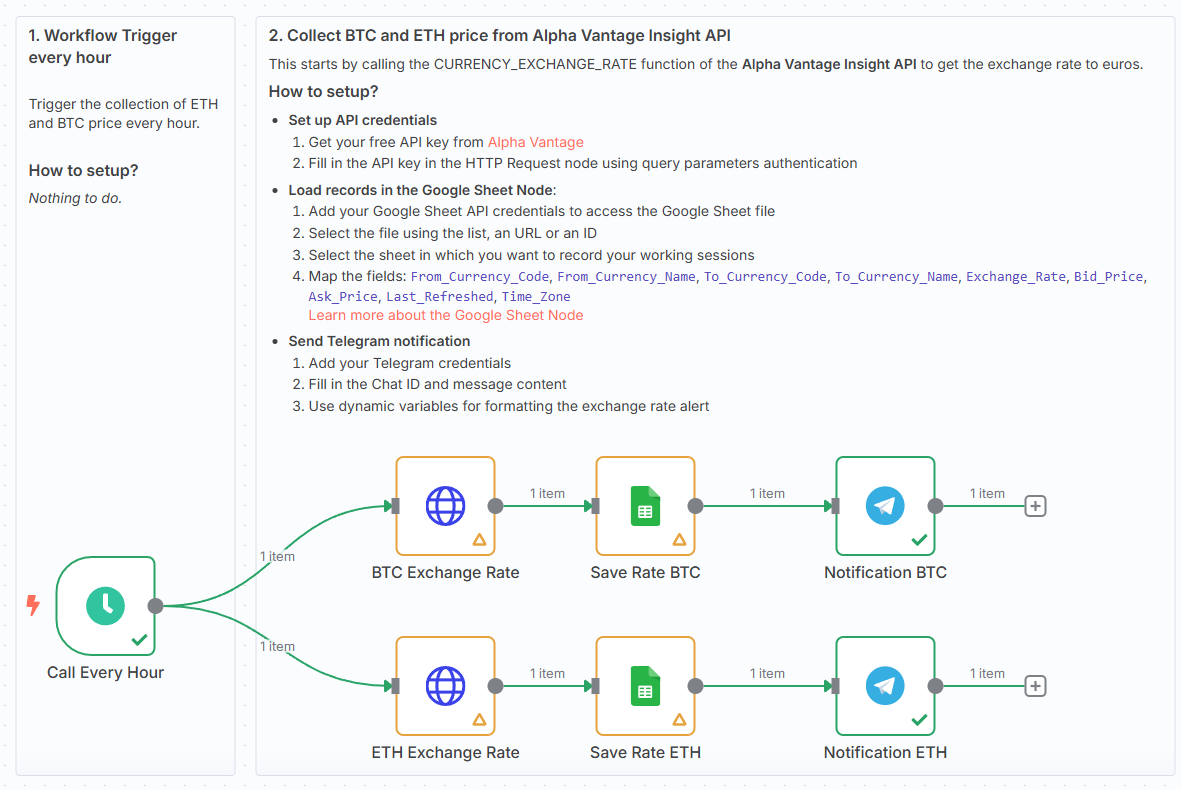
This workflow automates the hourly logging of crypto exchange rates:
- ⏰ Schedule Trigger launches the workflow every hour
- 🌐 Alpha Vantage API fetches BTC and ETH exchange rates (to EUR)
- 📄 Google Sheets node appends each result to a tab (BTC or ETH)
- 📲 Telegram node sends a summary alert with the latest rate info
Steps:
- ⏰ Trigger every hour via Schedule node
- 🌐 Call Alpha Vantage API for BTC and ETH
- 📊 Append rates, bid/ask prices, and timestamp to Google Sheets
- 📲 Send a formatted Telegram message with the rate summary
What do I need to get started?
You’ll need:
- A free Alpha Vantage API key
- A Google Sheet with BTC and ETH tabs
- A Telegram bot and Chat ID to send notifications
Next Steps
🗒️ Use the sticky notes in the n8n canvas to:
- Add your Alpha Vantage API key and Google Sheet credentials
- Set your Telegram Chat ID and bot connection
- Monitor and visualise real-time crypto prices with no manual input
📺 Learn More with n8n Tutorials
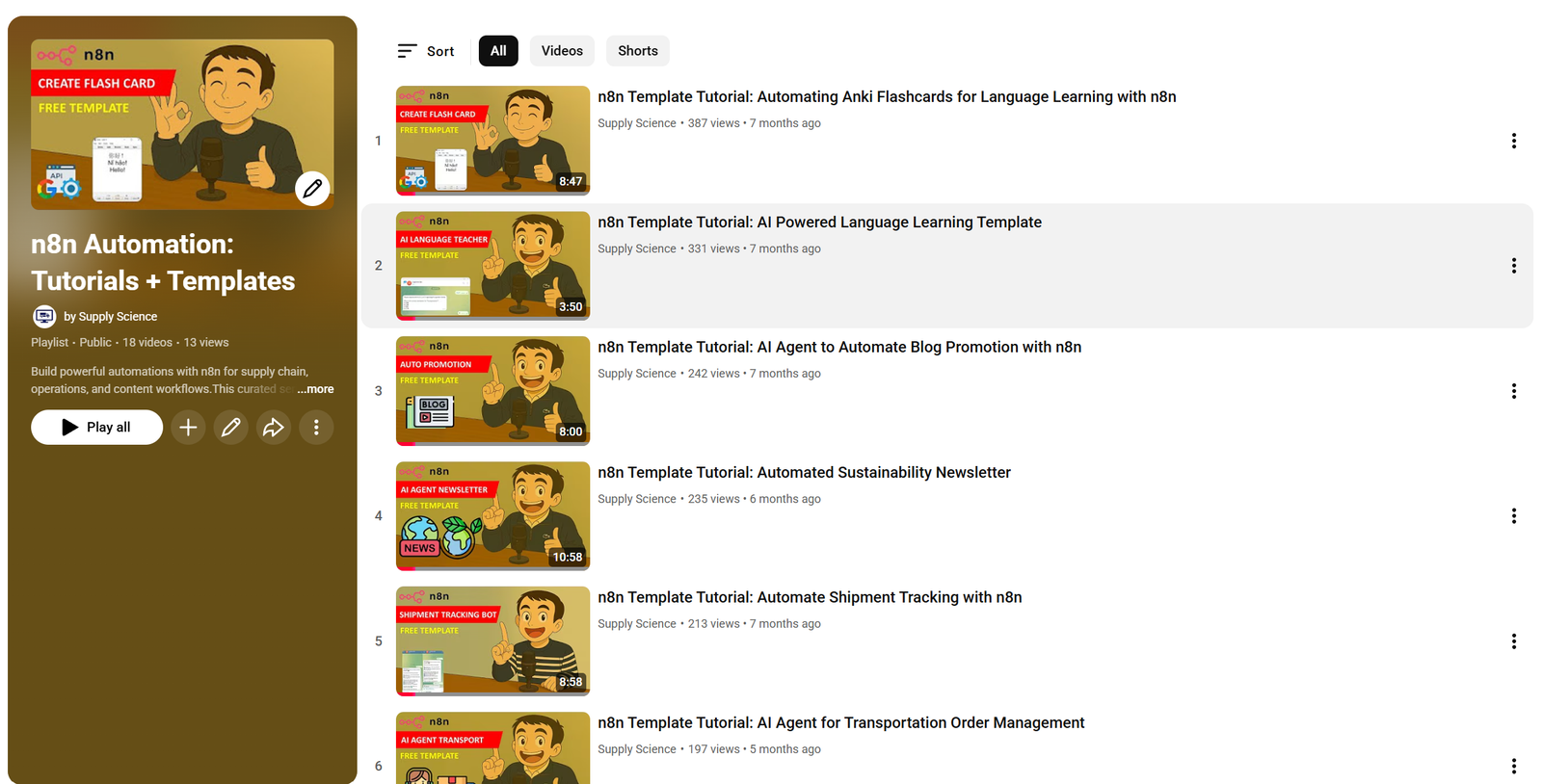
Get hands-on experience with automation through my comprehensive n8n tutorial playlist, featuring 18+ complete, step-by-step videos and ready-to-use templates.
This template was built using n8n v1.93.0
Submitted: June 12, 2025
🔗 Nodes Used
Google Sheets, HTTP Request, Telegram, Schedule Trigger
📥 Import
Download workflow.json and import into n8n:
Workflow menu → Import from File