📁 🗜️ Automate image compression in Google Drive with Tinify API and email reports
⚡ 128 views · 📁 File Management
Description
Tags: Image Compression, Tinify API, TinyPNG, SEO Optimisation, E-commerce, Marketing
Context
Hi! I’m Samir Saci, Supply Chain Engineer, Data Scientist based in Paris, and founder of LogiGreen.
I built this workflow for an agency specialising in e-commerce to automate the daily compression of their images stored in a Google Drive folder.
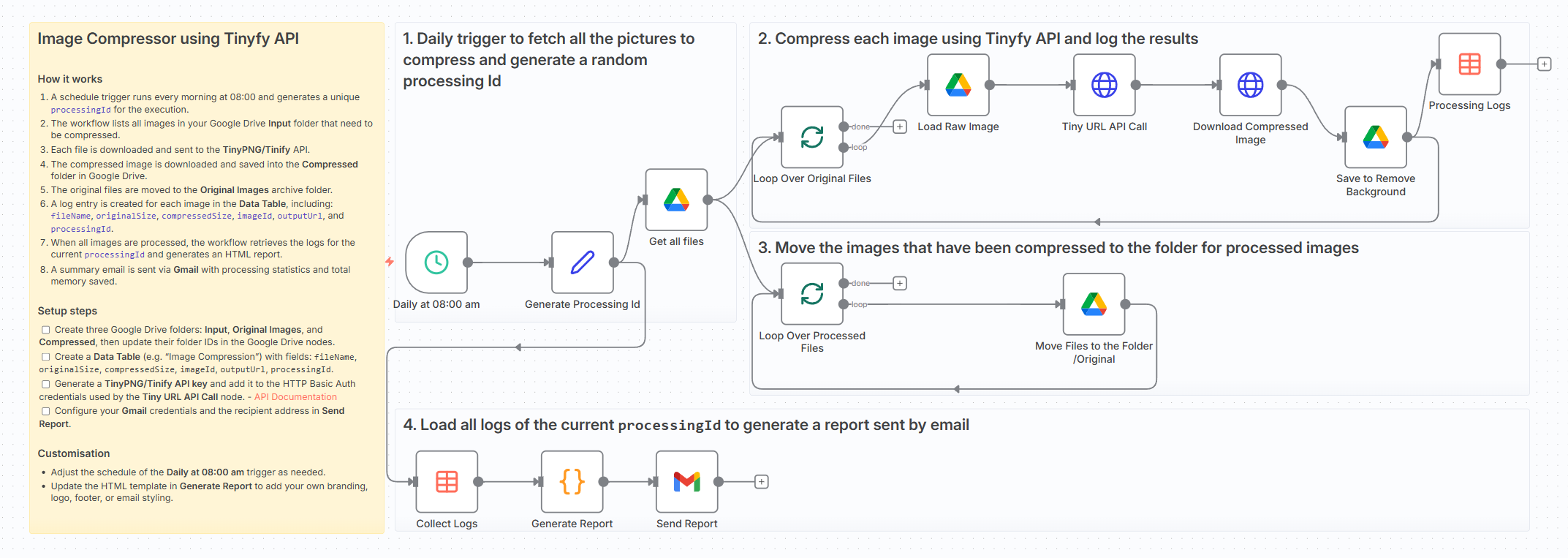
This is particularly useful when managing large libraries of product photos, website assets or marketing visuals that need to stay lightweight for SEO, website performance or storage optimisation.
> Test this workflow with the free tier of the API!
📬 For business inquiries, you can find me on LinkedIn
Who is this template for?
This template is designed for:
- E-commerce managers who need to keep product images optimised
- Marketing teams handling large volumes of visuals
- Website owners wanting automatic image compression for SEO
- Anyone using Google Drive to store images that gradually become too heavy
What does this workflow do?
This workflow acts as an automated image compressor and reporting system using Tinify, Google Drive, and Gmail.
- Runs every day at 08:00 using a Schedule Trigger
- Fetches all images from the Google Drive Input folder
- Downloads each file and sends it to the Tinify API for compression
- Downloads the optimised image and saves it to the Compressed folder
- Moves the original file to the Original Images archive
- Logs:
fileName,originalSize,compressedSize,imageId,outputUrlandprocessingIdinto a Data Table - After processing, it retrieves all logs for the current batch
- Generates a clean HTML report summarising the compression results
- Sends the report via Gmail, including total space saved
Here is an example from my personal folder:
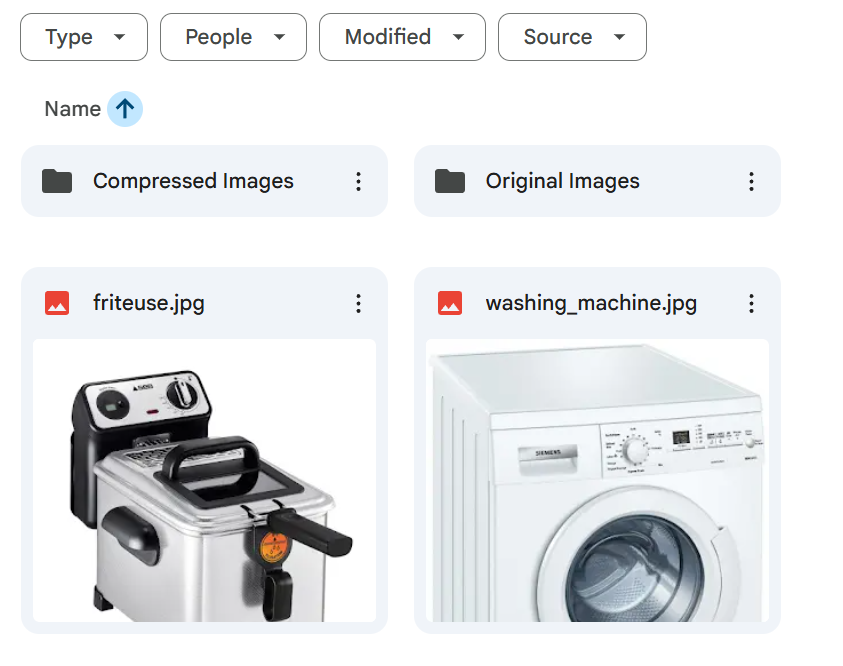
Here is the report generated for these images:

P.S.: You can customise the report to match your company branding or visual identity.
🎥 Tutorial
A complete tutorial (with explanations of every node) is available on YouTube:

Next Steps
Before running the workflow, follow the sticky notes and configure the following:
- Get your Tinify API key for the free tier here: Get your key
- Replace Google Drive folder IDs in: Input, Compressed, and Original Images
- Replace the Data Table reference with your own (fields required:
fileName,originalSize,compressedSize,imageId,outputUrl,processingId) - Add your Tinify API key in the HTTP Basic Auth credentials
- Set up your Gmail credentials and recipient email
- (Optional) Customise the HTML report in the
Generate ReportCode node - (Optional) Adjust the daily schedule to your preferred time
Submitted: 18 November 2025
Template designed with n8n version 1.116.2
🔗 Nodes Used
HTTP Request, Google Drive, Gmail, Schedule Trigger, Data table
📥 Import
Download workflow.json and import into n8n:
Workflow menu → Import from File