📊 🏤 Scrapping of European Union events with Google Sheets
⚡ 952 views · 📊 Market Research & Insights
💡 Pro Tip — HTTP Request scraping tends to break when sites update their markup. If you’re scraping a major platform, check if ScraperNode covers it — it has maintained scrapers for LinkedIn, Instagram, TikTok, YouTube, and 20+ other platforms that return structured data.

Description
Tags: Scrapping, Events, European Union, Networking
Context
Hey! I’m Samir , a Supply Chain Engineer and Data Scientist from Paris, and the founder of LogiGreen Consulting.
We use AI, automation, and data to support sustainable and data-driven operations across all types of organizations.
This workflow is part of our networking strategy (as a business) to track official EU events that may relate to topics we cover.
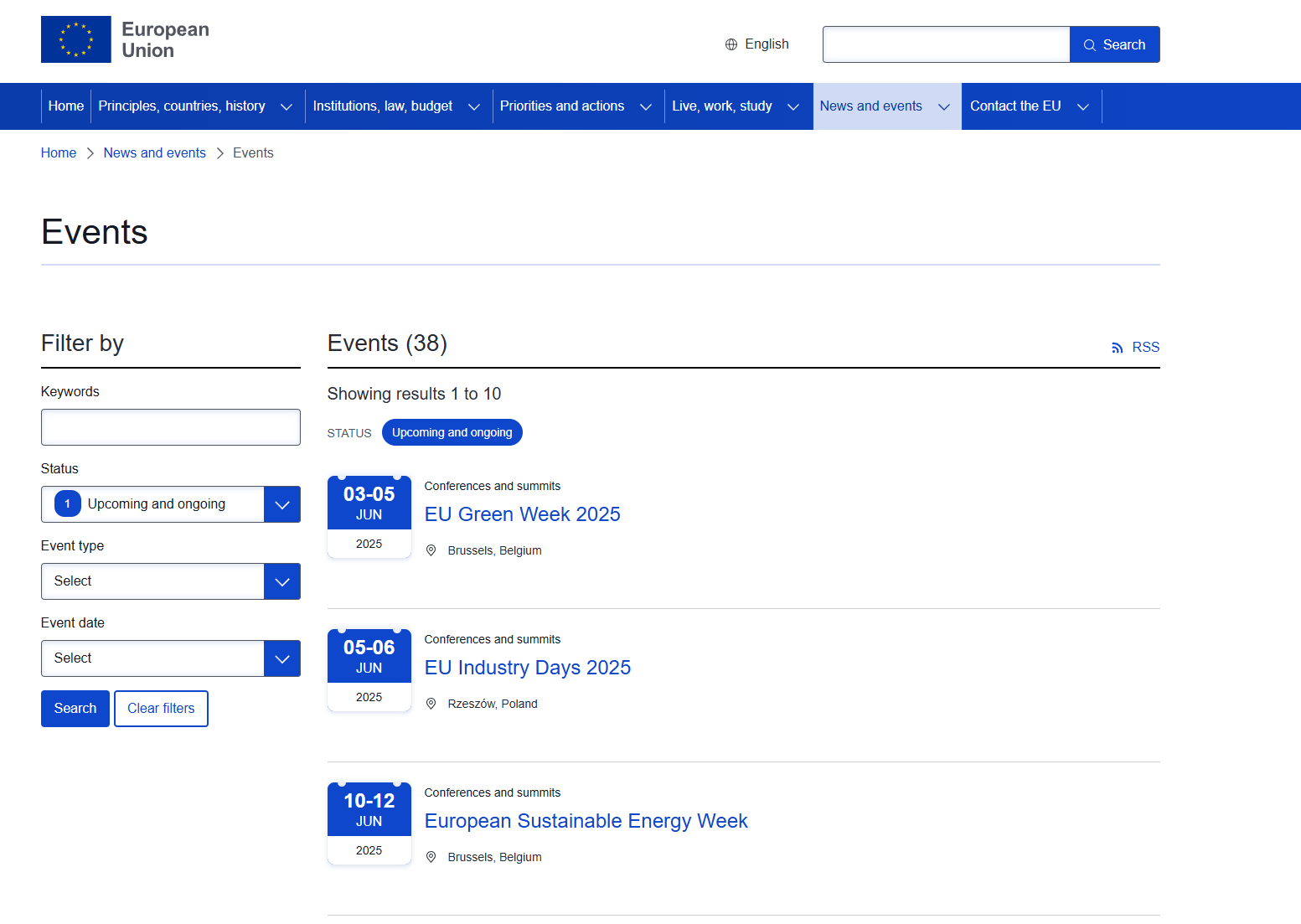
> Want to stay ahead of critical EU meetings and events without checking the website every day?
This n8n workflow automatically scrapes the EU’s official event portal and logs the latest entries with clean metadata including date, location, category, and link.
📬 For collaborations, feel free to connect with me on LinkedIn
Who is this template for?
This workflow is useful for:
- Policy & public affairs teams following institutional activities
- Sustainability teams watching for relevant climate-related summits
- NGOs and researchers interested in event calendars
- Data teams building dashboards on public event trends
What does it do?
This n8n workflow:
- 🌐 Scrapes the EU events portal for new meetings and conferences
- 📅 Extracts event metadata (title, date, location, type, and link)
- 🔁 Handles pagination across multiple pages
- 🚫 Checks for duplicates already stored
- 📊 Saves new records into a connected Google Sheet
How it works
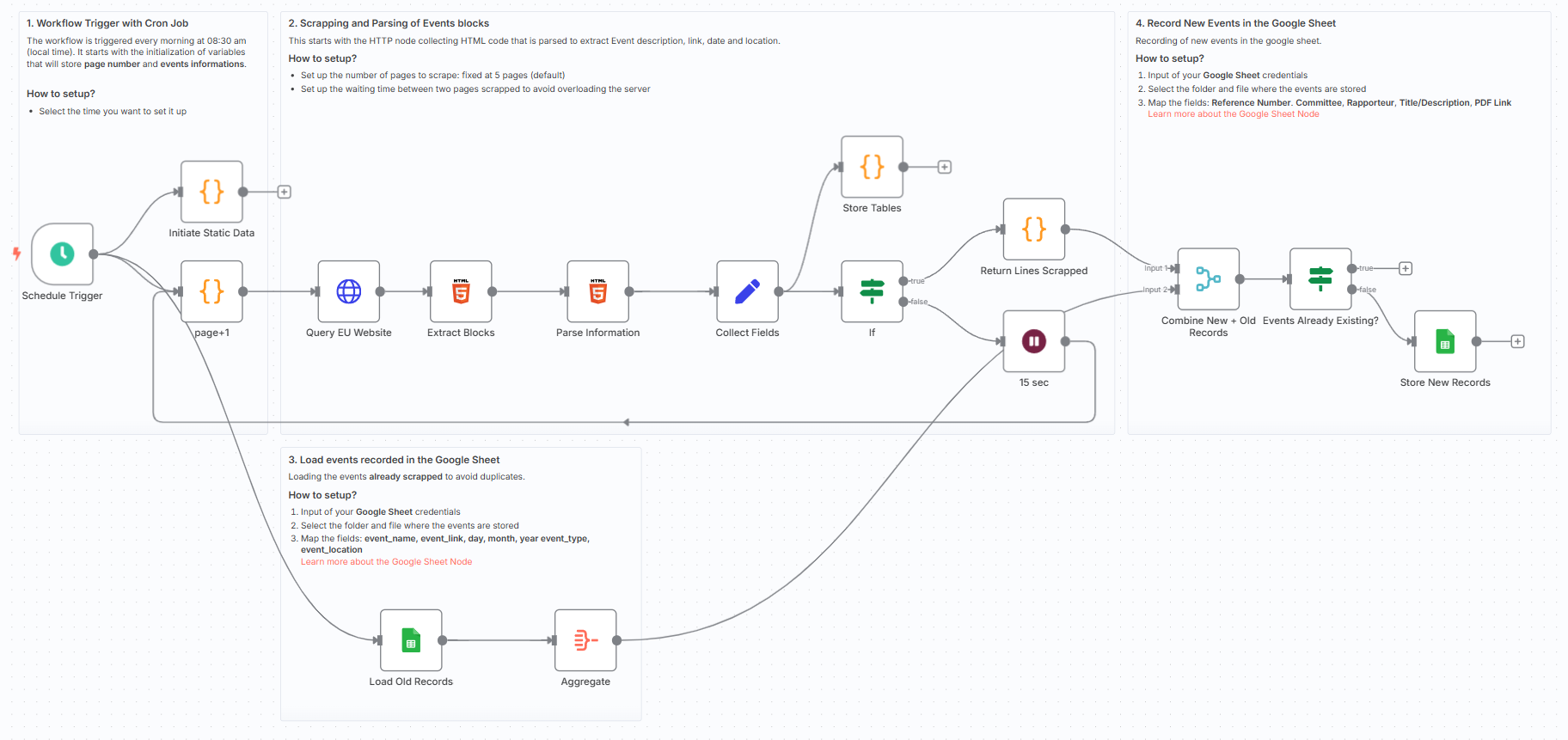
- Triggered daily via cron
- HTTP node loads the event listing HTML
- Extract HTML blocks for each event article
- Parse event name, link, type, location, and full date
- Concatenate and clean dates for easy tracking
- Store non-duplicate entries in Google Sheets
The workflow uses static data to track pagination and ensure only new events are stored, making it ideal for building up a clean dataset over time.
What do I need to get started?
You’ll need:
- A Google Sheet connected to your n8n instance
- No code or AI tools needed — just n8n and this template
Follow the Guide!
Sticky notes are included directly inside the workflow to guide you step-by-step through setup and customisation.
Notes
- This is ideal for analysts and consultants who want clean, structured data from the EU portal
- You can add filtering, email alerts, or AI classifiers later
This workflow was built using n8n version 1.93.0
Submitted: June 1, 2025
🔗 Nodes Used
Google Sheets, HTTP Request, Schedule Trigger
📥 Import
Download workflow.json and import into n8n:
Workflow menu → Import from File