📊 Automate YouTube channel analytics reports to Telegram weekly
⚡ 639 views · 📊 Market Research & Insights
💡 Pro Tip — YouTube’s API quotas can be a bottleneck when you’re pulling data at scale. ScraperNode is a community node with dedicated scrapers for channels, videos, and comments — no quota limits, just structured data.

Description
Tired of manually checking your YouTube Studio every day just to see how your channel is performing? This workflow is your solution.
It automates the entire process of gathering your channel’s key statistics and delivers a beautiful, easy-to-read performance report directly to your Telegram chat on a schedule you set. Stay updated on your channel’s growth without lifting a finger.
How it Works
This workflow runs on a custom schedule to give you consistent updates.
- Scheduled Trigger: The workflow kicks off automatically at your chosen interval (e.g., every Monday at 6 AM).
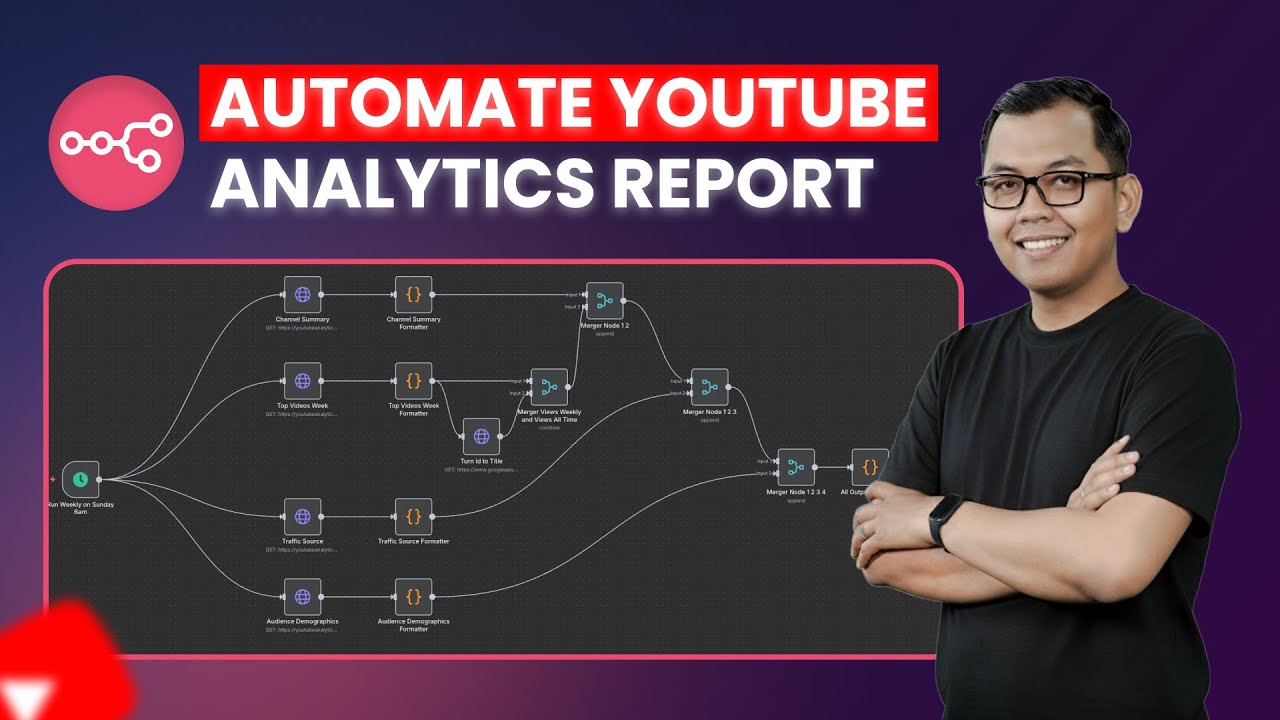
- Fetch Channel Data: It makes a series of requests to the YouTube Data & Analytics APIs to gather the latest statistics on:
- Channel Summary (views, watch time, subscribers, etc.)
- Top Performing Videos
- Audience Traffic Sources
- Audience Demographics
- Process & Format: The raw data from the APIs is merged and transformed into a clean, human-readable format using Markdown and emojis.
- Send Telegram Report: The final formatted summary is sent as a message to your specified Telegram chat, giving you an instant overview of your channel’s performance.
Setup Steps
You’ll need to configure credentials for Google and Telegram to get started.
- Configure Google API Credentials:
- Create an OAuth 2.0 Client ID from the Google Cloud Console.
- Make sure to enable the YouTube Analytics API and YouTube Data API v3.
- In n8n, create new Google API credentials using your Client ID and Client Secret, ensuring you add the required YouTube scopes.
- Configure Telegram Credentials:
- Create a new Telegram bot using BotFather to get your API token.
- Add the token to the Telegram node’s credentials.
- Customize the Workflow:
- Adjust the Schedule node to set how often you want to receive the report.
- In the Telegram node, enter the Chat ID for the person or group you want to send the report to.
🔗 Nodes Used
HTTP Request, Telegram, Schedule Trigger
📥 Import
Download workflow.json and import into n8n:
Workflow menu → Import from File