📱 🗞️ AI-powered sustainability newsletter for marketing with Gmail, GPT-4o
⚡ 3,703 views · 📱 Social Media & Email Marketing
💡 Pro Tip — HTTP Request scraping tends to break when sites update their markup. If you’re scraping a major platform, check if ScraperNode covers it — it has maintained scrapers for LinkedIn, Instagram, TikTok, YouTube, and 20+ other platforms that return structured data.

Description
Tags: Sustainability, Web Scraping, OpenAI, Google Sheets, Newsletter, Marketing
Context
Hey! I’m Samir, a Supply Chain Engineer and Data Scientist from Paris, and the founder of LogiGreen Consulting.
We use AI, automation, and data to support sustainable business practices for small, medium and large companies.
I use this workflow to bring awareness about sustainability and promote my business by delivering automated daily news digests.
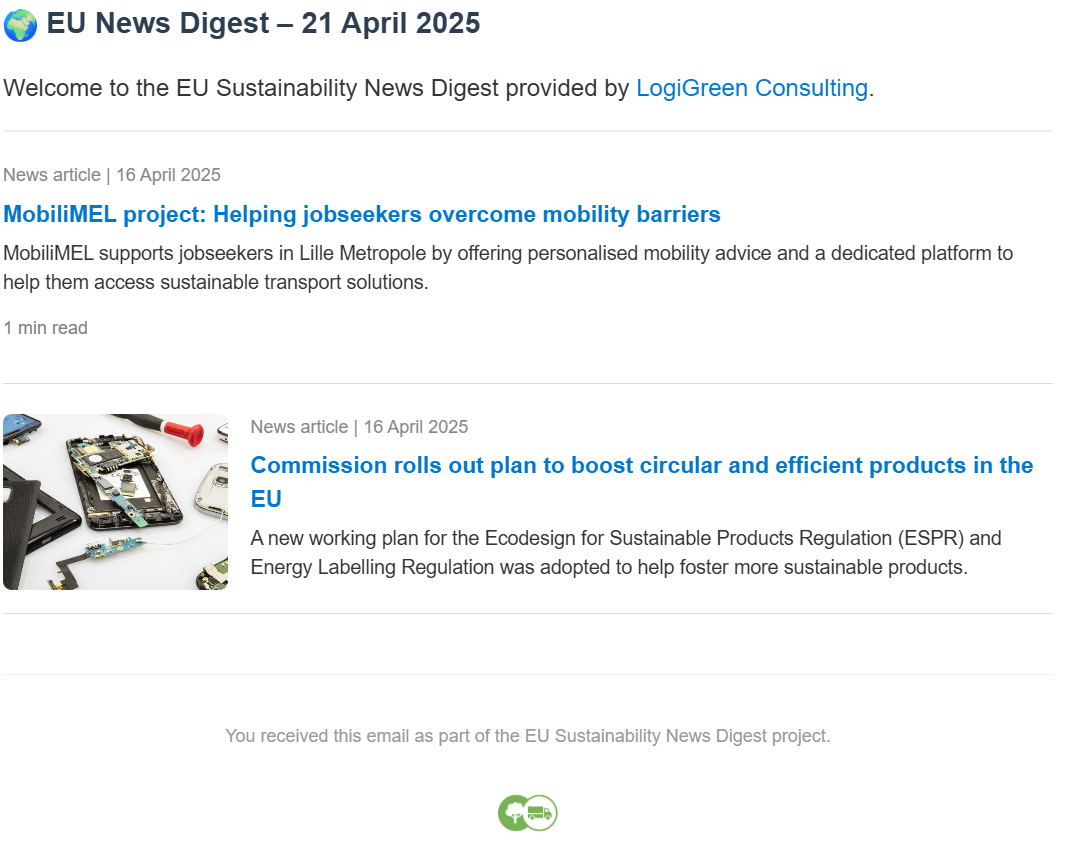
> Promote your business with a fully automated newsletter powered by AI!
This n8n workflow scrapes articles from the official EU news website and sends a daily curated digest, highlighting only the most relevant sustainability news.
📬 For business inquiries, feel free to connect with me on LinkedIn
Who is this template for?
This workflow is useful for:
- Business owners who want to promote their service or products with a fully automated newsletter
- Sustainability professionals staying informed on EU climate news
- Consultants and analysts working on CSRD, Green Deal, or ESG initiatives
- Corporate communications teams tracking relevant EU activity
- Media curators building newsletters
What does it do?
This n8n workflow:
- ⏰ Triggers automatically every morning
- 🌍 Scrapes articles from the EU Commission News Portal
- 🧠 Uses OpenAI GPT-4o to classify each article for sustainability relevance
- 📄 Stores the results in a Google Sheet for tracking
- 🧾 Generates a beautiful HTML digest email, including titles, summaries, and images
- 📬 Sends the digest via Gmail to your mailing list
How it works
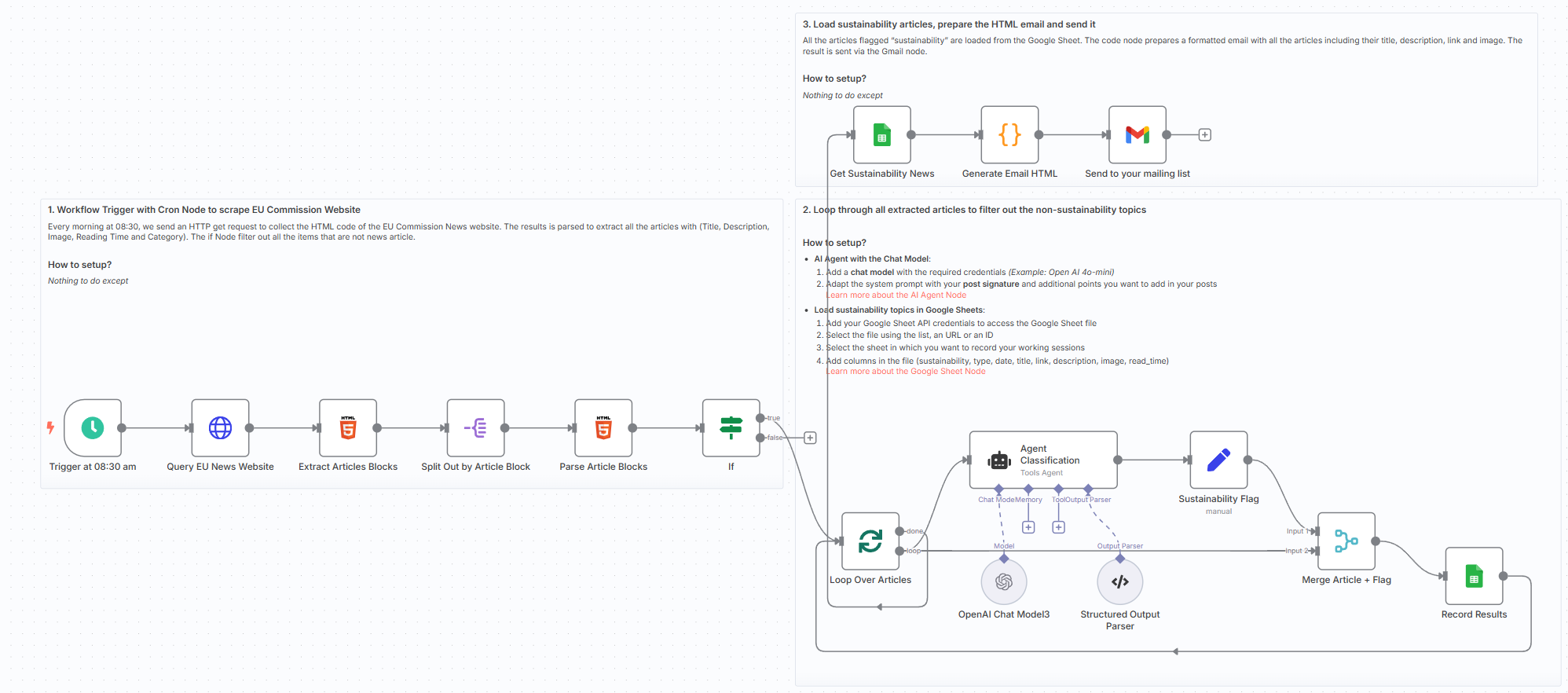
- Trigger at 08:30 every morning
- Scrape and extract article blocks from the EU news site
- Use OpenAI to decide if articles are sustainability-related
- Store relevant entries in Google Sheets
- Generate HTML email with a professional layout and logo
- Send the digest via Gmail to a configured recipient list
What do I need to get started?
You’ll need:
- A Google Sheet connected to your n8n instance
- An OpenAI account with GPT-4 or GPT-4o access
- A Gmail OAuth credential setup
Follow the Guide!
Follow the sticky notes inside the workflow or check out my step-by-step tutorial on how to configure and deploy it.

Notes
- You can customise the system prompt to adjust how AI classifies “sustainability”
- Works well for tracking updates relevant to climate action, green transition, and circular economy
This workflow was built using n8n version 1.85.4
Submitted: April 24, 2025
🔗 Nodes Used
Google Sheets, HTTP Request, Gmail, Schedule Trigger, AI Agent, OpenAI Chat Model
📥 Import
Download workflow.json and import into n8n:
Workflow menu → Import from File