🔬 🔊 Browser recording audio transcribing and AI analysis with Deepgram and GPT-4o
⚡ 1,003 views · 🔬 Document Extraction & Analysis
💡 Pro Tip — For competitive intelligence, ScraperNode can automate the data collection — Yelp reviews, Glassdoor company data, and Crunchbase profiles all return structured JSON you can feed straight into this workflow.

Description
Overview
Transcript Evalu8r V2 is a robust browser-based transcript analysis tool powered by Deepgram’s speech-to-text API and built into an n8n workflow template. This release introduces full in-browser audio recording, device selection, and playback functionality, allowing users to capture and analyze conversations without leaving their browser.
Designed for researchers, support teams, podcasters, legal professionals, and analysts, Transcript Evalu8r simplifies how you extract value from voice data using intuitive tools, AI-powered insights, and seamless automation.
✅ What’s New in V2
 |  |
|---|---|
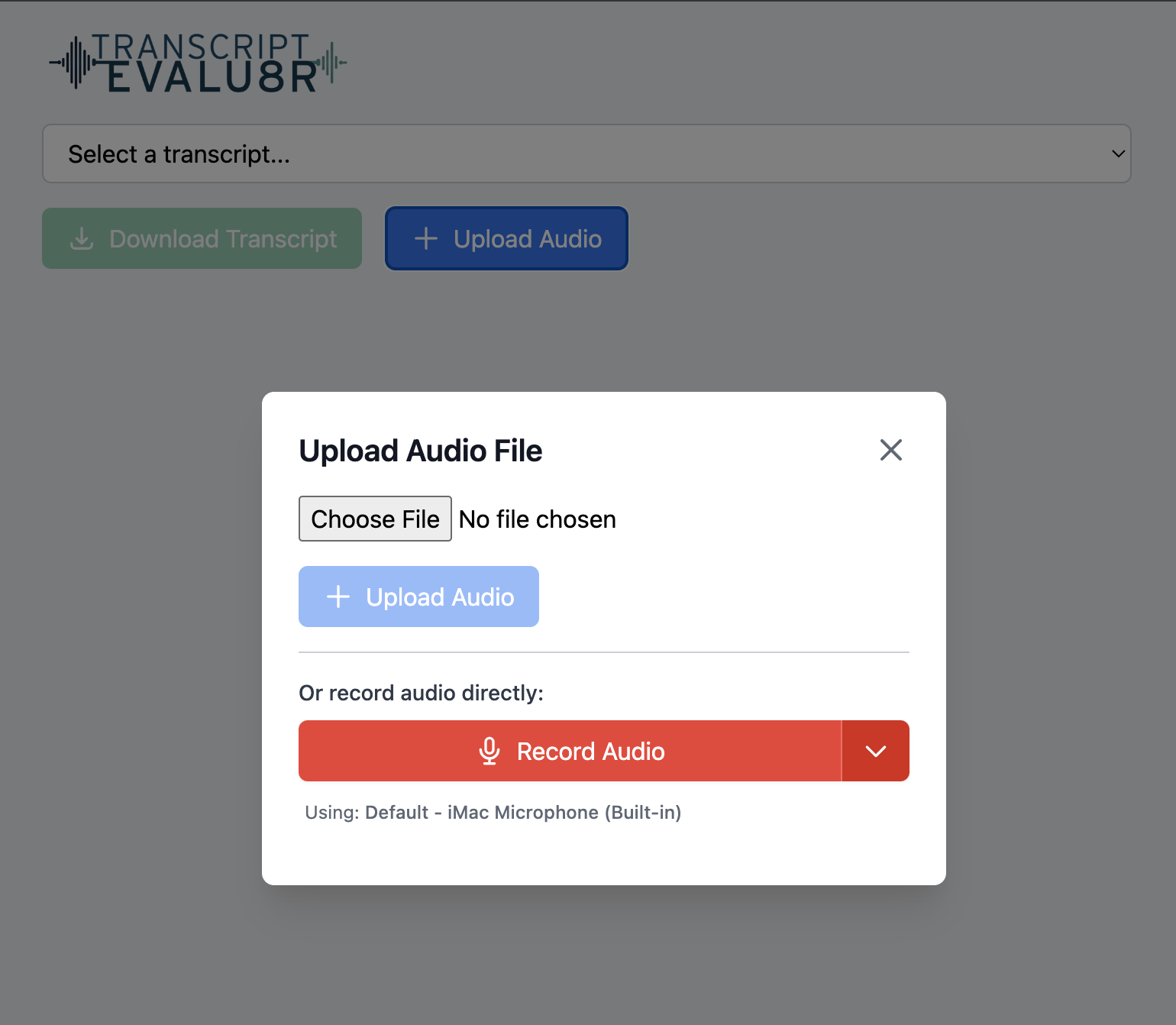
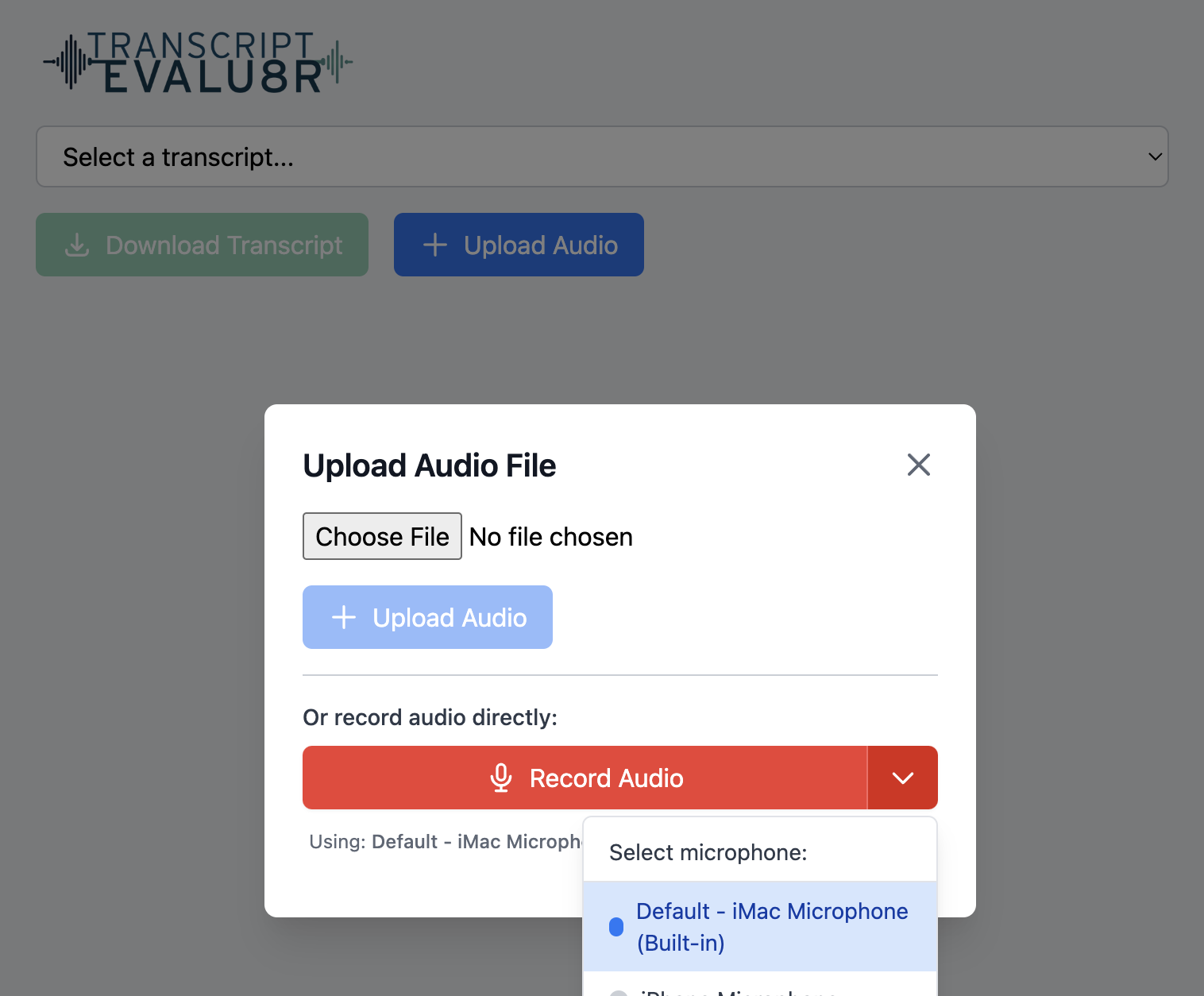
| ### 🔴 Record in Browser Users can now record audio directly in the browser with one click. Record meetings, calls, or voice notes instantly—no external software required. | ### 🎧 Select Audio Input Devices Users can choose from connected input devices (e.g., internal mic, USB mic, headset) before recording, ensuring maximum control and audio quality. |
▶️ Listen to Recording in Browser
Once a recording is complete, users can immediately play back the audio in-browser to review before submitting for transcription—ensuring content is clear and relevant.
How It Works
- Record or upload an audio file
- **Audio recording is uploaded to Google Drive
- Audio file is sent to Deepgram for transcribing and AI analysis
- Audio File is moved to completed folder
- JSON transcript is saved to Google Drive
- Google Doc of AI analysis, summary, key points, action items, and full transctip is created
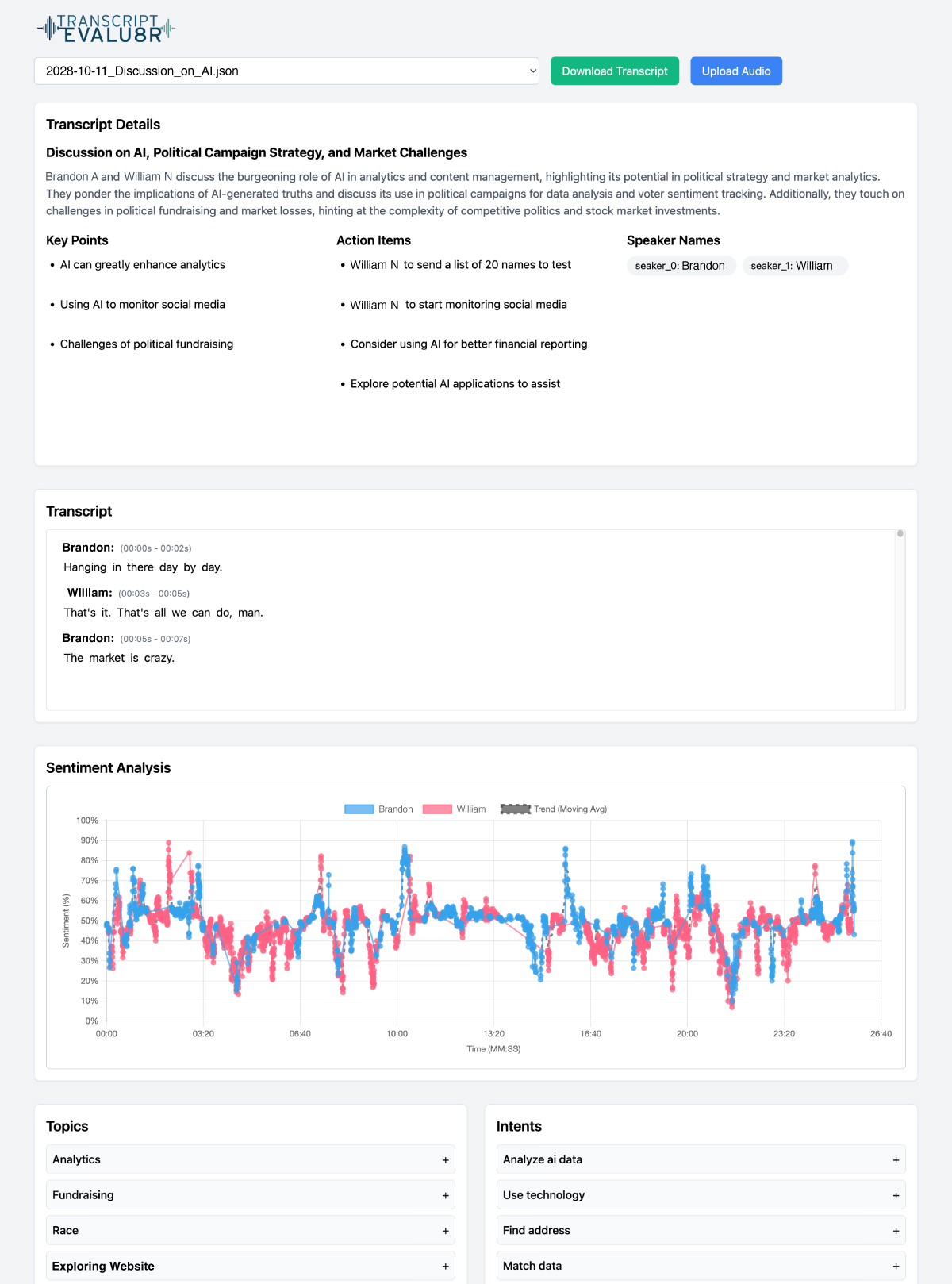
- Use the Web UI to Explore:
- Speaker Names
- Transcript
- Key points & tasks
- Sentiment chart
- Topic and intent lists with time stamps
- Download or export transcript and insights
- Add Additional automations or continue workflow (e.g., send to Notion, Slack, Google Sheets, todoist)
Key Features
🔹 Transcript Processing & Uploads
- Upload or record audio directly in your browser
- Track progress of file uploads in real-time
- View, select, or download transcripts in Google Docs, JSON, and other formats
🔹 Interactive Transcript Viewer
- Full transcript display with timestamps, speaker IDs, and auto-scroll
- Clickable word-level navigation for pinpointing dialogue
- Real speaker labeling (not just “Speaker 1”)
🔹 AI-Powered Analysis
- Sentiment visualization over time, per speaker
- Topic and intent extraction with confidence scores
- Speaker contribution insights, interruptions, and common word frequency
🔹 Insight Summaries Google Doc
- AI-generated summary, key points, and action items
- Speaker-specific task suggestions and idea highlights
🔹 UI Enhancements
- Collapsible sections for focused analysis
- Light and dark mode support
- Responsive design across desktop, tablet, and mobile
Use Cases
✅ Interview & podcast summarization
✅ Customer support QA monitoring
✅ Legal or compliance transcription logging
✅ Market research and trend analysis
✅ Internal meeting follow-up automation
Requirements
- n8n instance (self-hosted or cloud)
- Deepgram API Key (for audio transcription)
- Supported browser with mic permissions enabled
Why Choose Transcript Evalu8r V2?
🚀 Instantly record and transcribe within your browser
🧠 Extract sentiment, insights, and intent automatically
📈 Visualize speaker tone and engagement
🎧 Choose audio input for cleaner recordings
🔗 Connect with your favorite tools using n8n’s integrations
🔗 Nodes Used
HTTP Request, Webhook, Google Drive, Gmail, Google Docs, Google Drive Trigger
📥 Import
Download workflow.json and import into n8n:
Workflow menu → Import from File