🔬 ✈️ CO2 emissions of business travels with Carbon Interface API and GPT-4o
⚡ 351 views · 🔬 Document Extraction & Analysis
Description
Tags: Sustainability, Business Travel, Carbon Emissions, Flight Tracking, Carbon Interface API
Context
Hi! I’m Samir, a Supply Chain Engineer and Data Scientist based in Paris, and founder of LogiGreen Consulting.
I help companies monitor and reduce their environmental footprint by combining AI automation, carbon estimation APIs, and workflow automation.
This workflow is part of our sustainability reporting initiative, allowing businesses to track the CO₂ emissions of employee flights.
> Automate carbon tracking for your business travel with AI-powered workflows in n8n!
📬 For business inquiries, feel free to connect with me on LinkedIn
Who is this template for?
This workflow is designed for travel managers, sustainability teams, or finance teams who need to measure and report on emissions from business travel.
Let’s imagine your company receives a flight confirmation email:
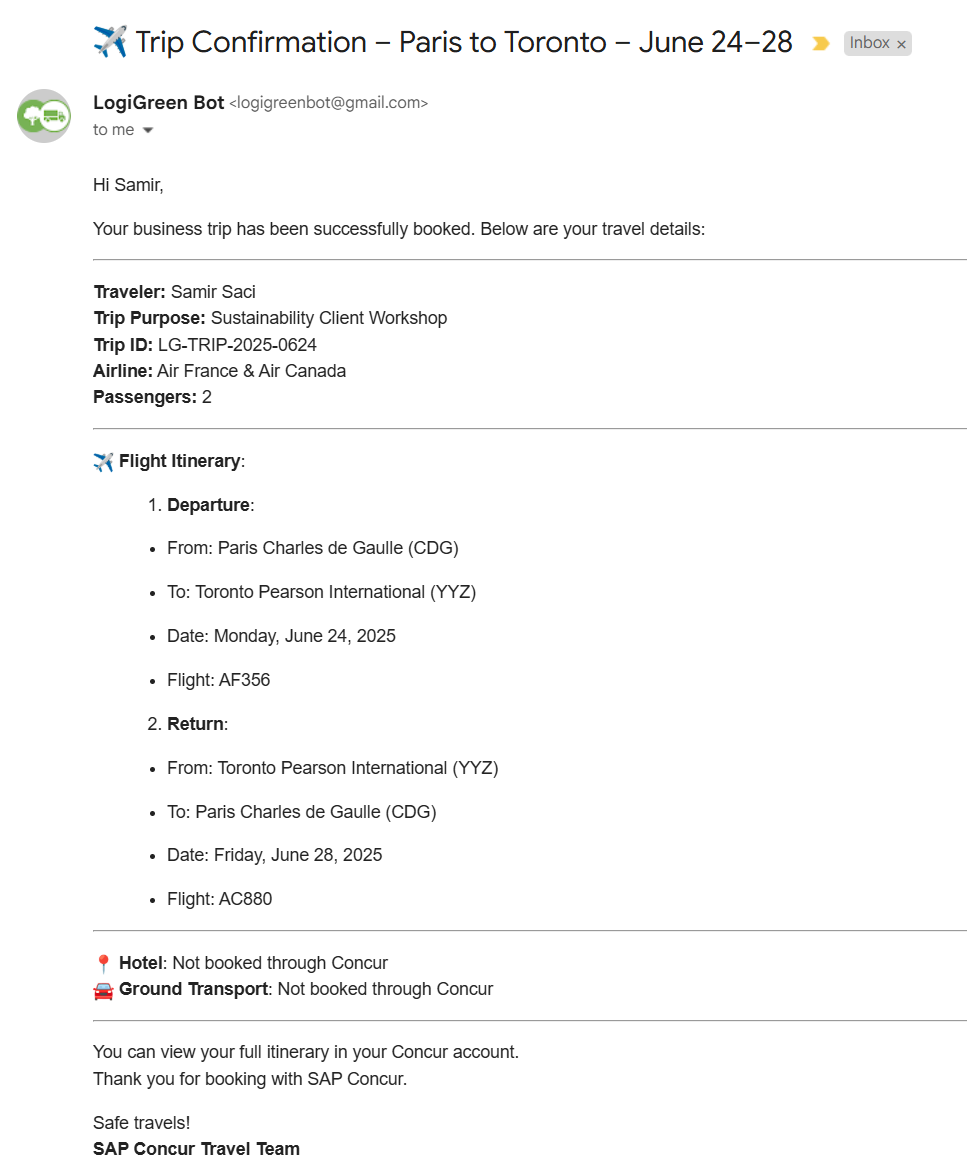
The AI Agent reads the email and extracts structured data, such as flight dates, airport codes, and number of passengers.
Then, the Carbon Interface API is called to estimate CO₂ emissions, which are stored in a Google Sheet for sustainability reporting.
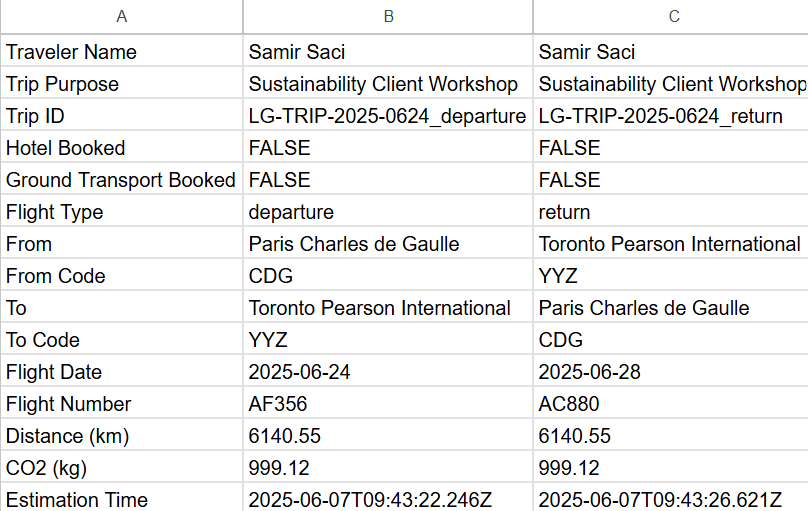
How does it work?
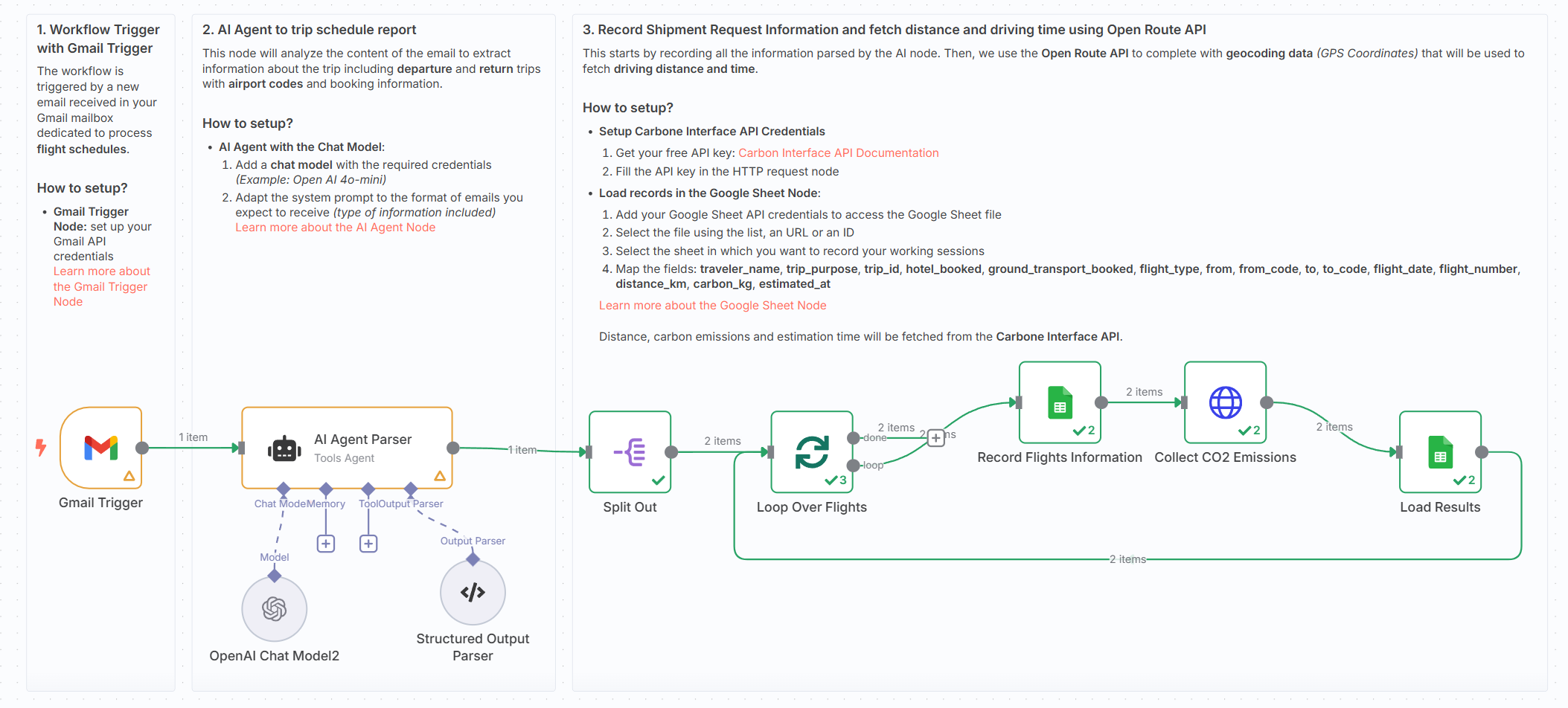
This workflow automates the end-to-end process of tracking flight emissions from email to CO₂ estimation:
- 📨 Gmail Trigger captures booking confirmations
- 🧠 AI Agent extracts structured data (airports, dates, flight numbers)
- ✈️ Each flight leg is processed individually
- 🌍 Carbon Interface API returns distance and carbon emissions
- 📄 A second Google Sheet node appends the emission data for reporting
Steps:
- 💌 Trigger on new flight confirmation email
- 🧠 Extract structured trip data using AI Agent (flights, airports, dates)
- 📑 Store flight metadata in Google Sheets
- 🧭 For each leg, call the Carbon Interface API
- 📥 Append distance, CO₂ in kg, and timestamp to the flight row
What do I need to get started?
You’ll need:
- A Gmail account receiving SAP Concur or travel confirmation emails
- A Google Sheet to record trip metadata and CO₂ emissions
- A free Carbon Interface API key
- Access to OpenAI for parsing the email via AI Agent
- A few sample flight confirmation emails to test
📺 Learn More with n8n Tutorials
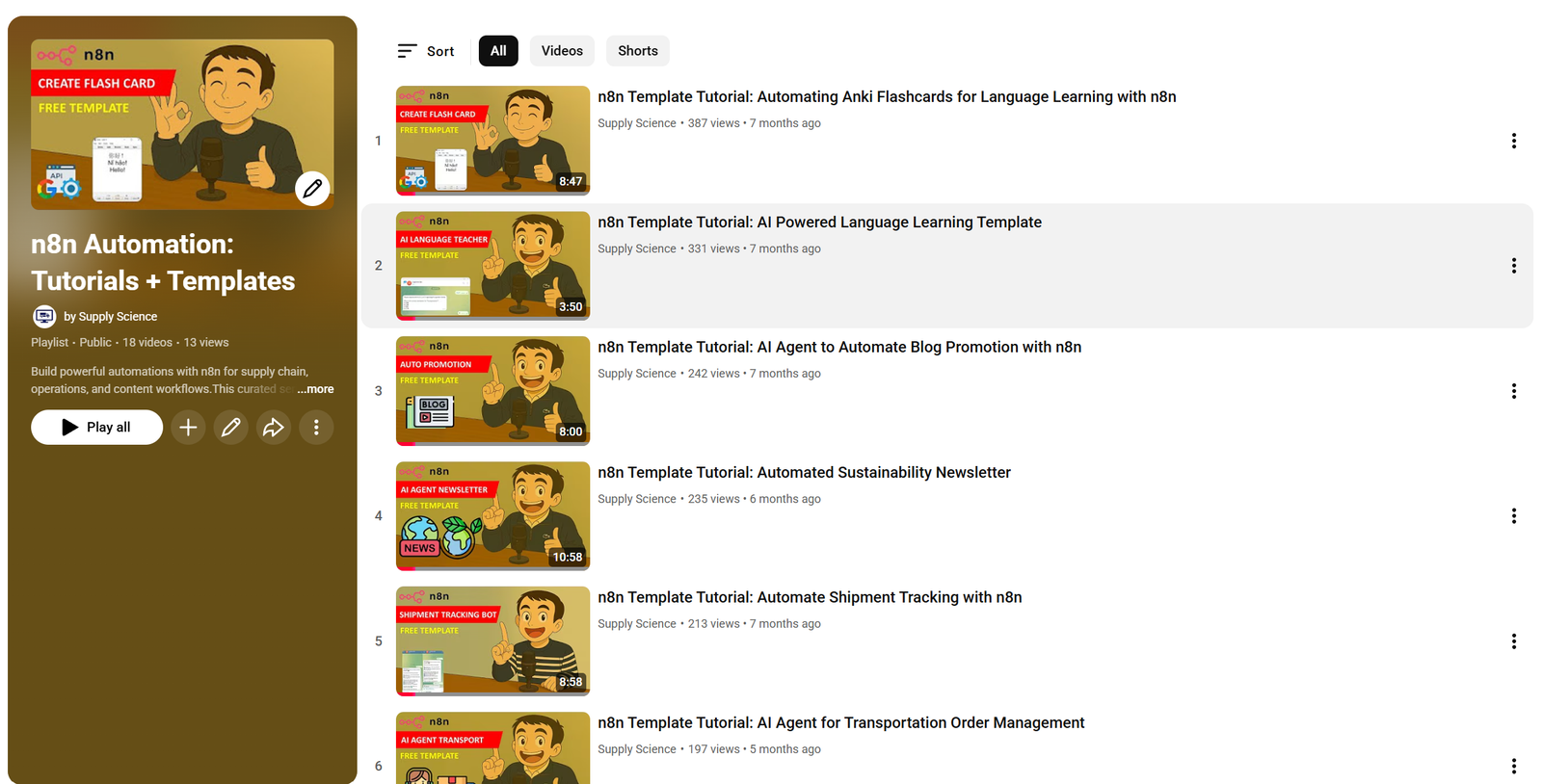
Get hands-on experience with automation through my comprehensive n8n tutorial playlist, featuring 18+ complete, step-by-step videos and ready-to-use templates.
Next Steps
🗒️ Use the sticky notes in the n8n canvas to:
- Add your Gmail and Carbon Interface credentials
- Send a sample booking email to your inbox
- Verify that emissions and distances are correctly added to your sheet
This template was built using n8n v1.93.0
Submitted: June 7, 2025
🔗 Nodes Used
Google Sheets, HTTP Request, Gmail Trigger, AI Agent, OpenAI Chat Model, Structured Output Parser
📥 Import
Download workflow.json and import into n8n:
Workflow menu → Import from File