⚡ 🍅 Custom pomodoro tracker using Telegram and Google Sheet
⚡ 1,765 views · ⚡ Personal Productivity
Description
Tags: Productivity, Pomodoro, Organization
Context
Hey! I’m Samir , a Supply Chain Engineer and Data Scientist from Paris, founder of LogiGreen Consulting 🌱
A significant improvement in my productivity came from following the Pomodoro Technique.
What is the Pomodoro Technique?
The Pomodoro Technique is a time management method that breaks your workday into 25-minute focus intervals followed by short breaks. After 4 cycles, you take a longer break to recharge.
It helps maintain concentration while preventing burnout.
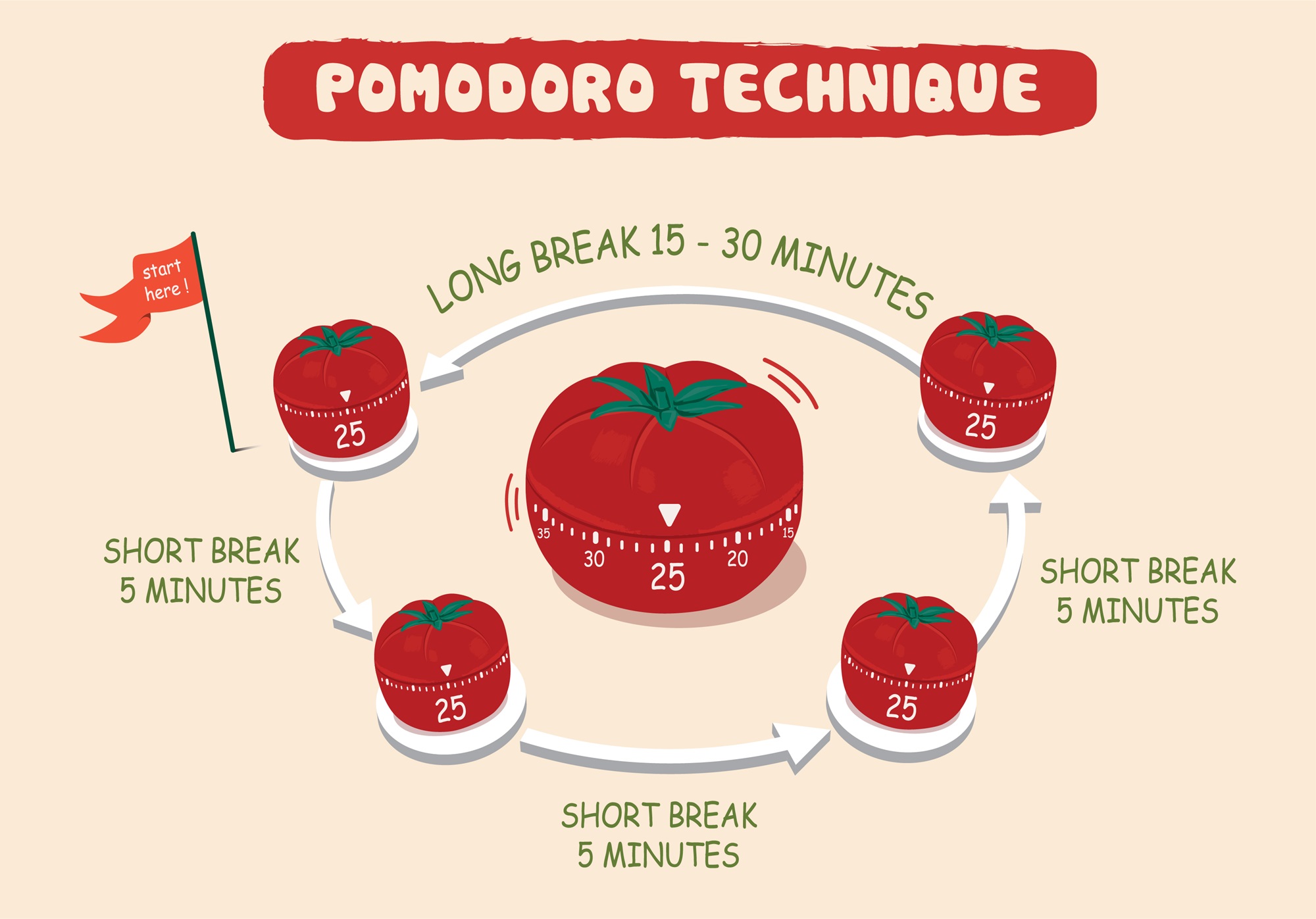
I’ve used this technique with web apps to receive break/work notifications. But I always wished I had a way to track my sessions for self-assessment.
> Let’s use n8n to boost our productivity and log our deep work sessions automatically!
📬 For business inquiries, you can add me on Here
Who Is This Template For?
I built this workflow for creators, freelancers, students, and professionals who love the Pomodoro technique but want more than just timers — they want data.
This template helps you:
- Track every deep work session automatically
- Store logs in Google Sheets for later analysis
- Stay in control via Telegram commands
There is no need to pay for premium apps. It’s all free and powered by n8n.
How Does It Work?
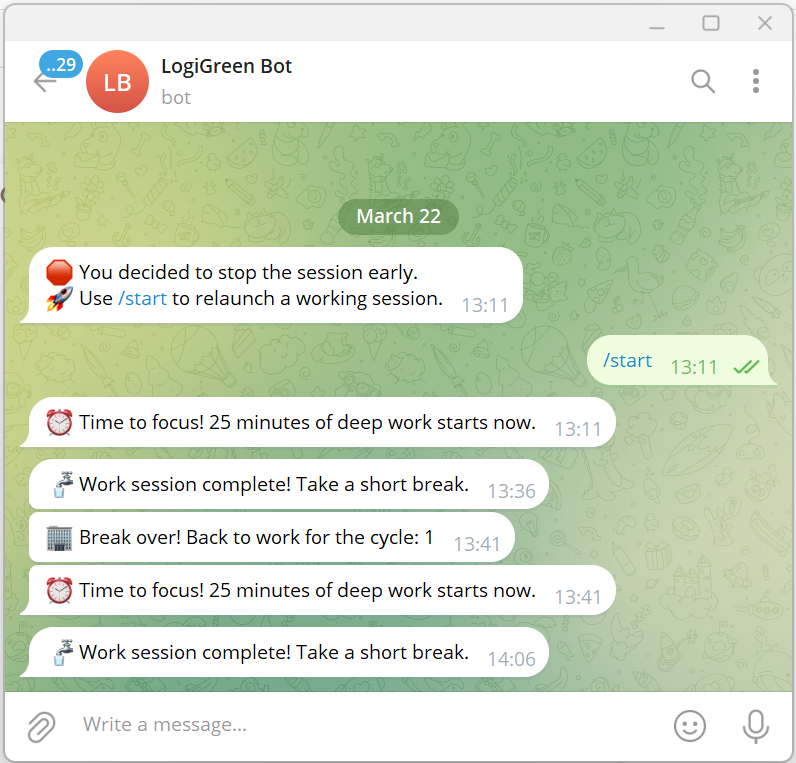
This Telegram bot tracks your Pomodoro sessions and sends you alerts during the process.
Here’s what happens:
- A user sends
/startto the bot. - It launches a 25-minute deep work timer.
- After 25 minutes, the bot sends a break reminder.
- After four cycles, a long break is triggered and the session is logged.
- The session is automatically recorded to Google Sheets with (Date & Time, User ID, Pomodoro count, Session ID, Duration of focus and breaks)
What Gets Tracked?
| Field | Description |
|---|---|
| Date & Time | When the session was logged |
| User ID | Your Telegram ID |
| Block Type | Deep Work or Short Break |
| Pomodoro Count | Number of cycles completed |
| Working Session ID | Unique ID for each session |
| Focus Duration | Length of each deep work session |
| Break Duration | Short or long break info |
You can use this workflow as a base to bring additional features like:
- Connecting with tasks from Google Task
- Send automated productivity reports to monitor your activity
- Link a Pomodoro with a task using Google Calendar
What Do I Need to Start?
This workflow is beginner-friendly — no coding required.
- Google Drive API and Google Sheet API credentials
- A Google Sheet set up to log sessions (with the columns of the table above)
- API Credentials:
- Google Sheets API (OAuth2)
- Telegram Bot Token
- Telegram app to chat with the bot
> The template is plug-and-play. Just follow the sticky notes in the n8n editor to configure it.
Next Steps
Follow the sticky notes in the n8n workflow editor to:
- Set your credentials
- Connect your Google Sheet
- Initialize the static data
- Launch your first
/startcommand on Telegram
🚀 Curious how n8n can supercharge productivity and learning skills??
📬 Let’s connect on LinkedIn
This workflow has been created with N8N 1.82.1 Submitted: March 24th, 2025
🔗 Nodes Used
Google Sheets, Telegram, Telegram Trigger
📥 Import
Download workflow.json and import into n8n:
Workflow menu → Import from File