🎫 🤖🚚 AI agent for transportation orders management with GPT-4o and Open Route API
⚡ 1,959 views · 🎫 Ticket Management & Triage
Description
Tags: AI Agent, Supply Chain, Logistics, Route Planning, Transportation, GPS API
Context
Hi! I’m Samir, a Supply Chain Engineer and Data Scientist based in Paris, and founder of LogiGreen Consulting.
I help companies improve their logistics operations using data, AI, and automation to reduce costs and minimize environmental footprint.
> Let’s use n8n to automate order management for transportation companies!
📬 For business inquiries, you can add find me on LinkedIn
Who is this template for?
This workflow is designed for small transportation companies and carriers that handle their delivery request by email.
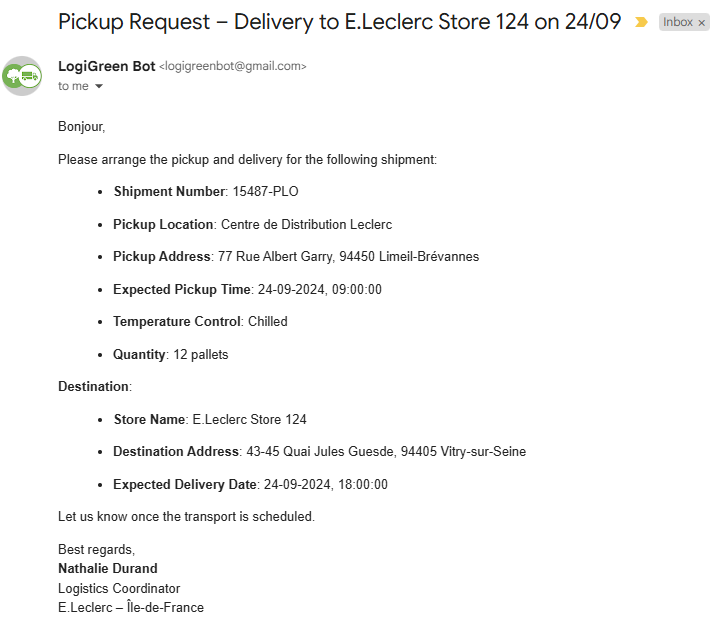
Two AI Agent nodes and a connection to Openroute Service API are used to parse the content of pickup requests
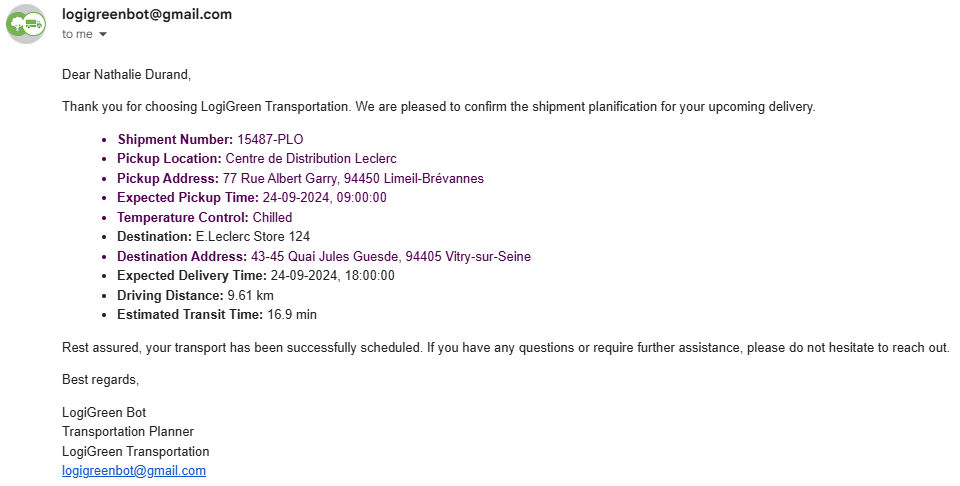
The results include driving time and driving distance in a comprehensive and concise reply generated by the second AI Agent.
How does it work?
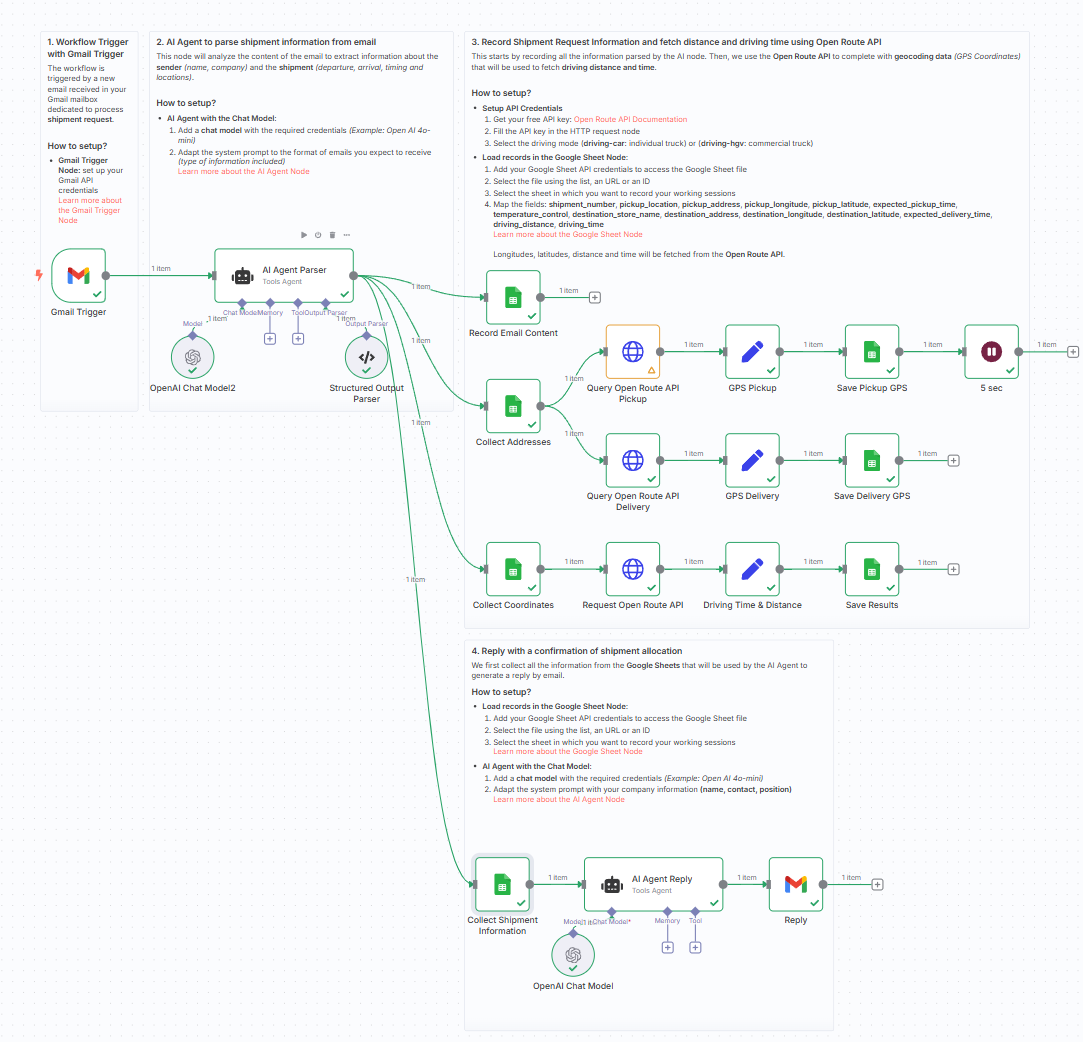
This n8n workflow automates the processing of shipment request emails and enriches them with distance and driving time using the OpenRouteService API.
- 📥 Extract structured logistics data (pickup, delivery, contact) using an AI Agent
- 📌 Geocode pickup and delivery addresses into GPS coordinates
- 🚚 Query OpenRouteService using the truck (driving-hgv) profile
- 📏 Get the driving distance (in km) and estimated time (in minutes)
- 📤 Store all data in a connected Google Sheet
- 📧 Send back a professional confirmation email to the customer
Steps:
- 📩 Trigger the workflow from a new Gmail message
- 🧠 Use the AI Agent to extract structured data from the email
- 📊 Record and enrich shipment details in a Google Sheet
- 🗺️ Geocode addresses into coordinates
- 🚦 Get driving distance & time via OpenRouteService
- 📬 Generate and send back a confirmation email using AI
What do I need to get started?
This workflow requires:
- A Gmail account to receive shipment requests
- A Google Sheet to log and update shipment info
- A free OpenRouteService API key
👉 Get one here - OpenAI API access to use the AI Agent node
Next Steps
🗒️ Follow the sticky notes inside the workflow canvas to:
- Plug your Gmail and Google credentials
- Add your OpenRouteService API key
- Test by sending a sample email and see the response!
This template was built using n8n v1.93.0
Submitted: June 5, 2025
🔗 Nodes Used
Google Sheets, HTTP Request, Gmail, Gmail Trigger, AI Agent, OpenAI Chat Model
📥 Import
Download workflow.json and import into n8n:
Workflow menu → Import from File